

Mods Installation
ETS2 - "Route of the Wolves" Mods Collection
Read carefully each card, visit and read mod's pages before download. Keep an eye on "Special Instructions and Notes" on each mod's card on the collection. Enjoy!
GAME VERSION 1.60:
FULLY COMPATIBLE
LOAD ORDER: replicate the same order listed here, from TOP to BOTTOM, in your Mod Manager In-Game
GAME VERSION 1.60:
SEMI COMPATIBLE

LOAD ORDER: replicate the same order listed here, from TOP to BOTTOM, in your Mod Manager In-Game
GAME VERSION 1.60:
NO COMPATIBLE
LOAD ORDER: replicate the same order listed here, from TOP to BOTTOM, in your Mod Manager In-Game
Mods Collection version 1.60.b – June 29, 2026
Check Last Mods Collection Changelog HERE.
Important: Seasonal (weather) mods are hidden by default. To view them, select a season below — only mods for that season will appear within the list. To view all seasonal mods at once, click Show All. To hide them again, click ✕ Hide.
Each seasonal mod is marked in its title with its corresponding icon: 🌸 Spring · ☀️ Summer · 🍂 Early Autumn · 🍁 Late Autumn · ❄️ Winter, to make it easier to activate one group of Season at a time.
NEW MOD
Job Market Map Zoom Add-on
This mod enables the zoom function for the job market maps
Note: This change will disable route guidance highlighting (blinking)

(Spot Reserved GMC Maps Combos) FullScreen Maps (ETS2)
Part of the GMC Community Maps Combos, check the last card on our list down below for further instructions.
(Spot Reserved GMC Maps Combos) ETS2 Global Background Map
Part of the GMC Community Maps Combos, check the last card on our list down below for further instructions.

(Spot Reserved GMC Maps Combos) Original Loading Screen (ETS2)
Part of the GMC Community Maps Combos, check the last card on our list down below for further instructions.
(Spot Reserved GMC Maps Combos) Small HUD Mirrors (ETS2)
Part of the GMC Community Maps Combos, check the last card on our list down below for further instructions.

(Spot Reserved GMC Maps Combos) Tutorial Hints Be Gone (ETS2)
Part of the GMC Community Maps Combos, check the last card on our list down below for further instructions.
More Background Themes
In game play, you may choose from 12 different background themes. Enjoy !
Magic Time, Halloween Fields, First Class, Tempest Night, Northern Lights, Aqueduct Sunset, Home at Last, Snowy Dream, Through the Mountain, Under the Bridge, Waves, On Top of the World.

NEW MOD
Menu Music Remixes & Nostalgic Soundtracks
Looking for a variety of nostalgic and new music for the game?
This mod includes:
– 17 main menu music tracks
– 8 truck upgrade music tracks
– 1 cutscene track

Special Instructions and Notes:
The music includes original soundtracks from SCS Software titles and/or remixed versions of them from the following games:
– Euro Truck Simulator 1
– Euro Truck Simulator 2
– American Truck Simulator
– German Truck Simulator
– SCANIA Truck Driving Simulator
– 18 Wheels of Steel series
– Bus Driver
The mod was tested on 1.59 but should run on all future versions. Happy trucking!
Please note
The modified menu music does not initialize at the Title Screen.
The modified music is only loaded after the initial music instance is stopped (e.g. clicking “Drive” and then revisiting the main menu).
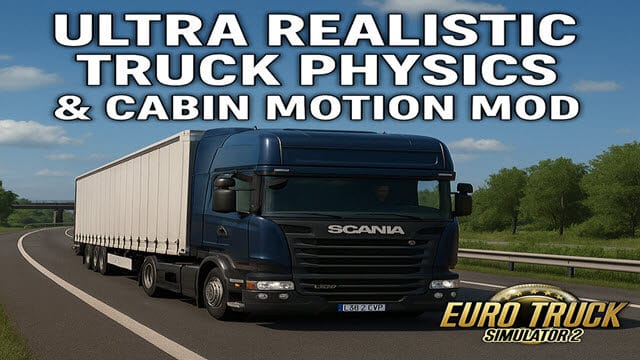
ETS2 Ultra Realistic Truck Physics & Cabin Motion
Transform your ETS2 driving experience with the most immersive and professionally tuned physics overhaul mod ever created.
Whether you’re a casual driver or a hardcore simulator fan, the Ultra Realistic Truck Physics & Cabin Motion Mod is engineered for maximum realism, authenticity, and immersion on every single journey — in dry or rainy conditions.
The Ultra Realistic Truck Physics & Cabin Motion Mod is precision-built for keyboard, gamepad, and wheel users, bringing unprecedented immersion, authentic handling, and real truck dynamics to ETS2.
Special Instructions and Notes:
Recommended In-Game Settings:
✅ Truck Stability: 0%
✅ Trailer Stability: 10–20%
✅ Suspension Stiffness: 25%
✅ Cabin Suspension: 30%
✅ Braking Intensity: 50-80%
✅ ABS – Anti-Lock Braking System – ON
✅ Uneven Surface Simulation: 100%
Note: If these recommended settings from above and pictures below aren’t proper for yourself, just feel free to adjust them to your liking. In the mod’s page you will find more instructions.
NEW MOD
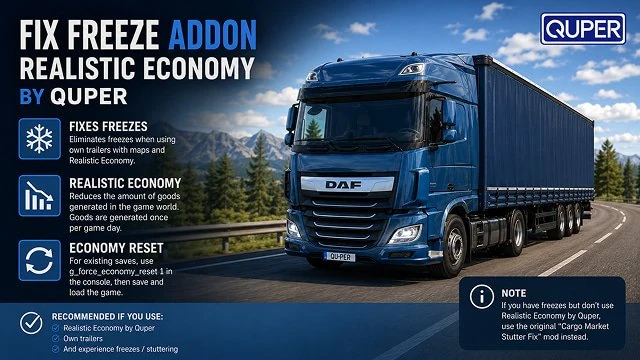
Fix Freeze Addon for RealisticEconomy by Quper
Some users experience freezes when playing with their own trailers and a set of maps. This modification fixes this problem.
This mod reduces the amount of goods generated in the game world. Goods are generated once per game day.
If you start a new game with this mod, it will work immediately. If you continue saving game, I recommend entering “g_force_economy_reset 1” in the console, saving, and then loading that save.
Special Instructions and Notes:
Use this mod if you have both of the following:
1. You have the “Realistic Economy” by Quper modification installed.
2. You play with your own trailer.
3. You experience freezes (slowdowns, stuttering).
P.S. If there are freezes in the game, but you are not using the “Realistic Economy” mod from Quper, you should install the original “Cargo Market Stutter Fix” mod, you do not need this one.
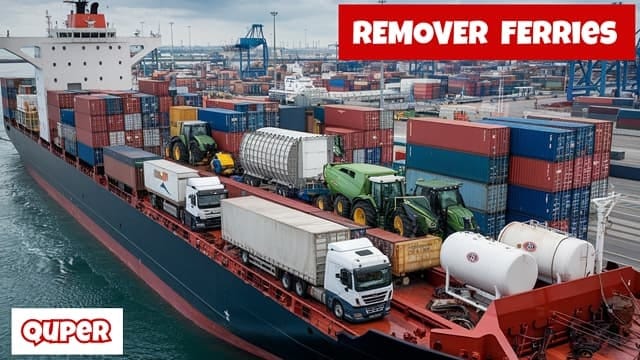
Remover Ferries by Quper
It was created as an addon for RealisticEconomy by Quper, but can be used separately.
Routes: Removed unnecessary routes. The goal is to move on wheels.
Realistic Economy ETS2 by Quper
This mod significantly enhances the economy in Euro Truck Simulator 2, making it more realistic and engaging. The mod includes many changes, so read carefully the mod’s description to have a full view.

🌸☀️🍂🍁 Better Raindrops
Key features:
- Add new texture and significantly increase number of raindrops.
- Improved physical behavior of particles, now their spawn will be more affected by truck position relatively to rain inclination.
It makes a huge difference and vastly improve perception of weather! Just try it yourself! - Reworked sound effects for wipers and rain. New car splash trails and more.
❄️ Better Raindrops – Snowflakes Add-on
Hello! I’d like to share with you an add-on for Grimes Frosty Winter mod, it replaces snow textures and sound effects and also improves windshield particle behavior.
- Replace rain texture with snowflakes and significantly increase number of particles
- Improved physical behavior of particles, now their spawn will be more affected by truck position relatively to rain inclination. It makes a huge difference and vastly improve perception of weather! Just try it yourself!
- Reworked sound effects for wipers and rain, New car splash trails and more.

❄️ Winter sounds
This mod aptly reworks sounds for a snowy winter season. Are you ready to brave and immerse yourself for the coldest season?
- Chances of hearing thunder snow sounds with a varying proximity. The further it is, the more it gets muffled by snow.
- Limited insect sounds from playing due to the snowy winter season.
- And much more…

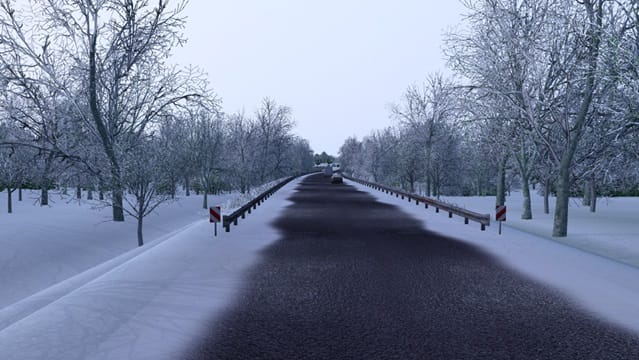
❄️ Frosty Winter – Physics Addon
Makes the roads a little more slippery…
Known Bugs & Issues:
WARNING: Frosty Winter mod by Grimes change many road textures and other objects, so it is incompatible with GMC Community Maps Combos, you will have invisible roads and other textures in many maps. The rest of Seasons by Grimes are ok, though.
❄️ Frosty Winter – Clear Roads
The roads are clear… but still frosty
Known Bugs & Issues:
WARNING: Frosty Winter mod by Grimes change many road textures and other objects, so it is incompatible with GMC Community Maps Combos, you will have invisible roads and other textures in many maps. The rest of Seasons by Grimes are ok, though.
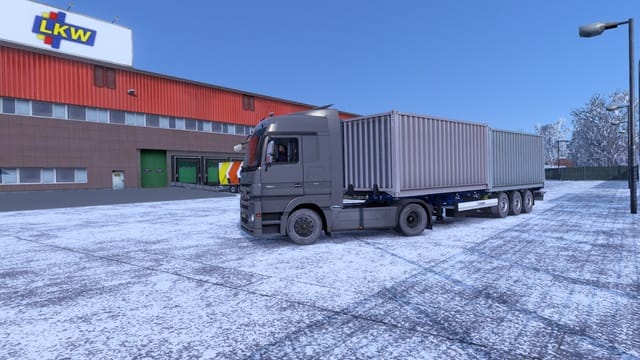
❄️ Frosty Winter – Frosty Wheels
Turns the wheels.. well… frosty 😛
Known Bugs & Issues:
WARNING: Frosty Winter mod by Grimes change many road textures and other objects, so it is incompatible with GMC Community Maps Combos, you will have invisible roads and other textures in many maps. The rest of Seasons by Grimes are ok, though.
🌸☀️🍂🍁❄️ Weather_3.7_16k
new graphics lighting, 319 skybox with resolution 8192×2048
compatible with all maps.
New version: Update Weather_3.7: Fixed missing tobj file, texture with seam, slightly decreased sky brightness, compatible with versions 1.58 and 1.59.

Special Instructions and Notes:
If you are struggling with performance in ETS2, you can install Weather_3.6_8k instead, found and subscribe in this link:
https://steamcommunity.com/sharedfiles/filedetails/?id=2942906812
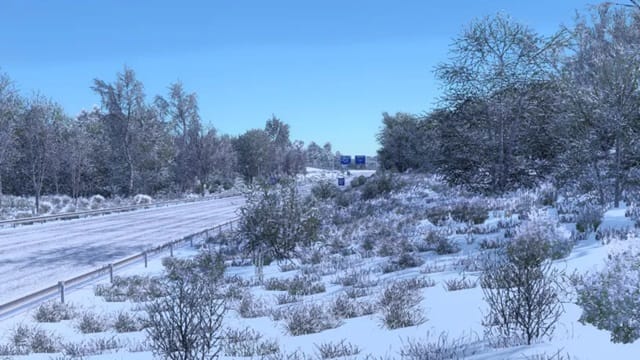
❄️ Frosty Winter – Grimes Seasons
This high resolution graphics and weather mod simulates winter for Euro Truck Simulator 2.
Key Features
Winter weather and environment, Snow instead of rain, Winter vegetation, Winter road textures, Snowy roofs, Winter daylight hours and temperatures, And much more…
Known Bugs & Issues:
WARNING: Frosty Winter mod by Grimes change many road textures and other objects, so it is incompatible with GMC Community Maps Combos, you will have invisible roads and other textures in many maps. The rest of Seasons by Grimes are ok, though.
🍁 Late Autumn/Mild Winter – Grimes Seasons
This is a graphics and weather mod that simulates a late Autumn or a mild winter weather/environment.
Features
Late Autumn/Mild Winter vegetation & daylight hours, Random grey sky, foggy and clear weather, Leafless vegetation, Appropriate temperature readings, Pedestrians in winter clothing, Transforms older parts of the map with newer high resolution graphics, And much more…
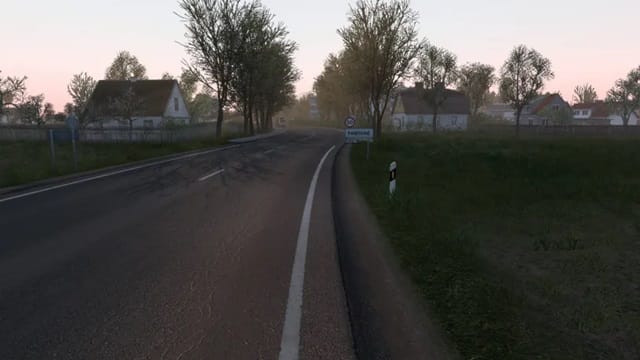
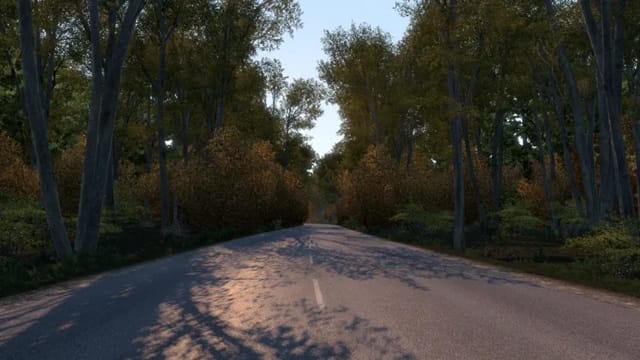
🍂 Early Autumn – Grimes Seasons
This is a graphics and weather mod that simulates an early autumn environment.
Features
Autumnal weather, Less leaves on trees and autumnal colors, Fallen leaves on sidewalks, Autumnal daylight hours, Improved grass, Increased grass density, And much more…
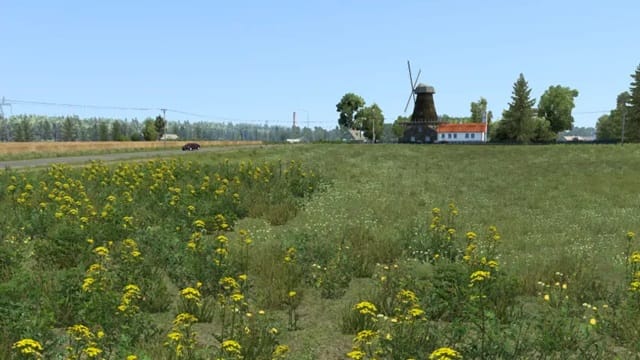
☀️ New Summer – Grimes Seasons
This mod improves the default summer environment & weather.
Key Features
Vegetation and lighting Improvements, Grass improvements, Increased grass density, Grass rendered at a further distance, Out of sight vegetation LOD transitions, Less visible low LOD, vegetation, And much more…
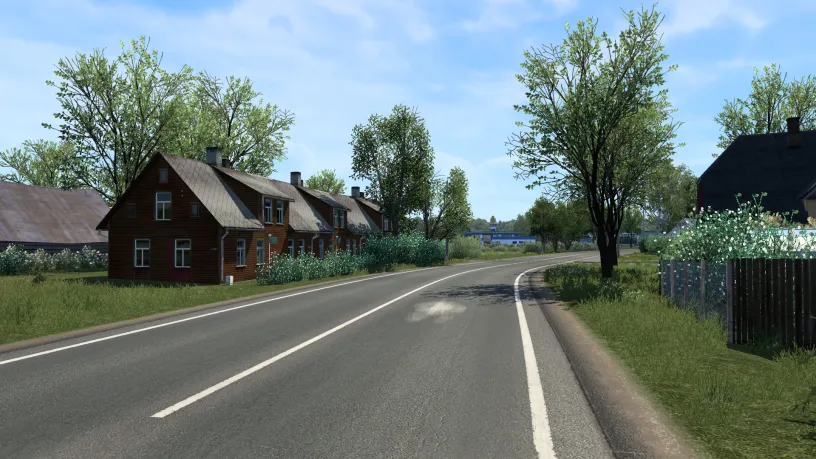
🌸 Spring – Grimes Seasons
This is a graphics and weather mod that simulates a spring environment.
Features
Spring weather and environment, Spring vegetation, Spring daylight hours, More flowery vegetation, Grass improvements, And much more…
Collision models mod.
A simple little mod that adds collision to some objects/things from the world of ETS 2 that I think should have collision but don’t.
The mod adds collision to, among others: bridge junctions, sewer manholes, road patches, road cracks and a few others.
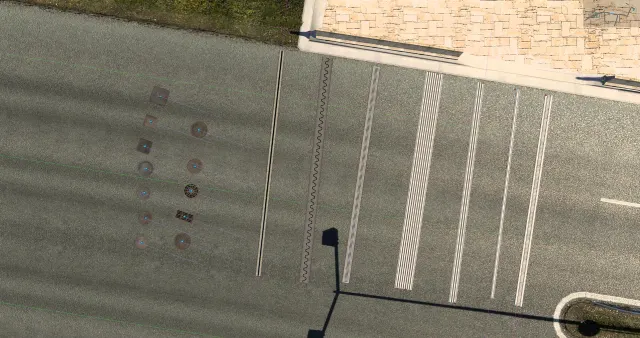
Reflective Road Markings
This small mod makes road markings reflective.
Tested on ETS2/ATS v1.49-1.54.
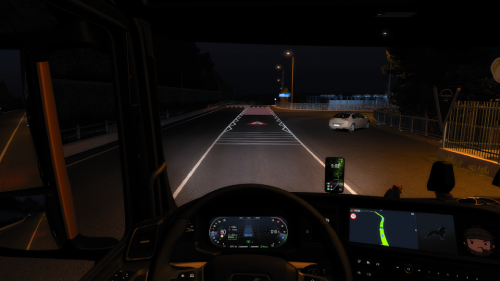
Asphalt_improved_1.4_ETS_4k
update: compatible with the version 1.58 Added new textures.
load order,
place above all graphics mods and map mods
version: 2k https://steamcommunity.com/sharedfiles/filedetails/?id=3403569587

Better roads for old maps
New textures for vanilla maps roads (+Going East Expansion & two highways in Scandinavia) making the game look a bit closer to expansions standars. All textures created from scratch by me, this is not a recycle of assets from other maps. Updated to 1.50+.

Smaller Dead End Barriers
-Replaces “Dead End” crosses and arrows with less intrusive dots.
-Optional MOD Support for Convoys

NEW MOD
No Icons Mod
Fully realistic game mode, removed all activation indicator icons, including a new introduction to the game mode “Interesting places”
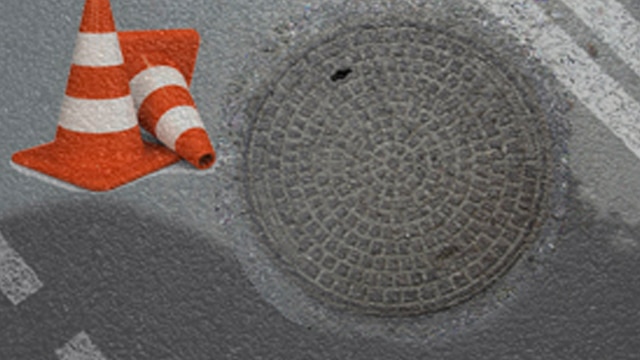
Special Instructions and Notes:
Changes in fashion:
1 Changed the color of the cones to orange.
2 Manhole textures have been changed to high-quality in 4K format at gas stations and wherever they are placed, according to the list below.
3 Added hatches inside garages.
4 Added employees at gas stations.
5 Added hatches in the salons of truck dealers.
6 Added hatches in offices.(to unknown objects on the map).
7 On the scales no
8 When buying new garages, there will be a hatch.
9 Removed the indicators of activation icons at the border (fare, customs control).
10 Be careful when disabling barriers of closed roads in the game interface!
11 Upon arrival, you will be met by an employee. Ask him about the unloading location by approaching him from the driver’s side…
will appear when the “on-site selection” mode is selected in the interface. (After unloading, the hatch will reappear).
12 The illumination of cones has been changed.(at night you can see how the front and rear cones glow “white” and “green”.
13 At some gas stations there will be no signs at all, look in the navigator, and stop at the corresponding icon on the map.
14.In ports.
15.New! -Added an employee to the video mode (interesting places) In previous versions, there was nothing there…
Attention…The activation system for trailer coupling has changed, now there will be no cones!
Accordingly, you need to be careful when searching for your cargo! This option is for advanced users.
Realistic Train Lengths
This mod aims to bring a bit more realism/immersion by making the AI trains proper lengths according to each country/locomotive.
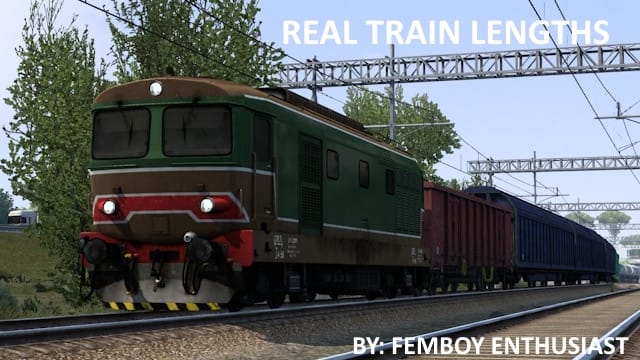
Special Instructions and Notes:
Changes are too long for me to list here. However, I will give some background. Lengths and train types seen vary between countries. Albania for example, runs pretty short trains. In Albania, you will only see tank trains and passenger trains. However, in a country like say, germany, a whole slew of different train types can be seen, and they are much longer. The nordic countries in particular operate the longest trains in europe, with Finlands being a maximum of 44 cars depending on the train type, and the IORE’s trains in sweden being between 40 to 60 ore cars. That said, all train types and lengths have been gathered via watching multiple videos of trains in certain countries. I have pinpointed the average length of most trains in said countries, and replicated what common unit trains I saw (ex: gondolas, tanks, hoppers) with the available stock ingame. There are missing trains, though. My “research” may not be 100% accurate, so please feel free to correct me if I have made a mistake.
IMPORTANT NOTE:
This mod is designed to work in conjunction with drivesafely’s soundfixes pack. If you do not have this, some trains may not have sounds. -THIS MOD MUST BE PLACED ABOVE SOUND FIXES IN THE LOAD ORDER-
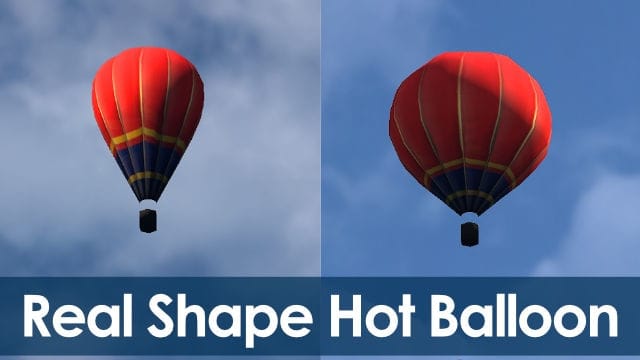
Real Shape Hot Air Balloon
This MOD is for Hot air balloon shapes reworking. A little bit change to bigger. A paint jobs and tris poly numbers are just same originals.
And you will see, find, and look same places them.
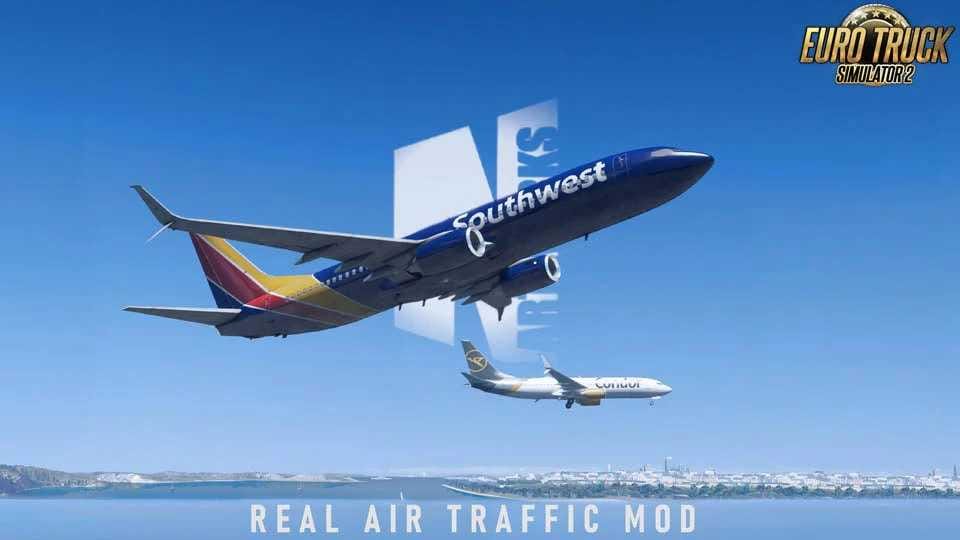
PNG Real Air Traffic Mod
Features:
– Repleaced oldest aircraft models with Takeoff, Landing, Rolling animations.
– Added Real Leipzig Airport “vertical stabilizer DHL” Landmark.
– Condor, Lufthansa, Qatar, Emirates, KLM, Air France, DHL, UPS and FedEx.
NEW MOD
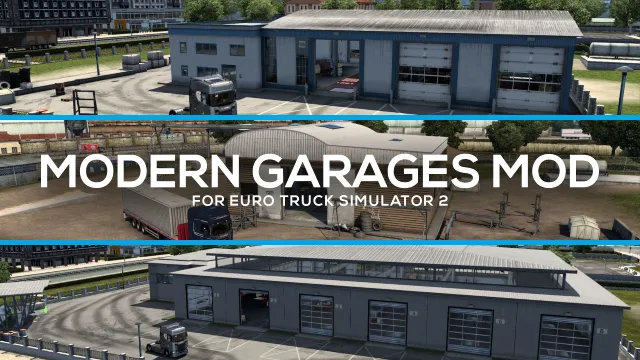
Modern Garages Mod for ETS2
This mod replaces old-fashioned garages on the old map with modern-looking garages from Scandinavia DLC.
NEW MOD
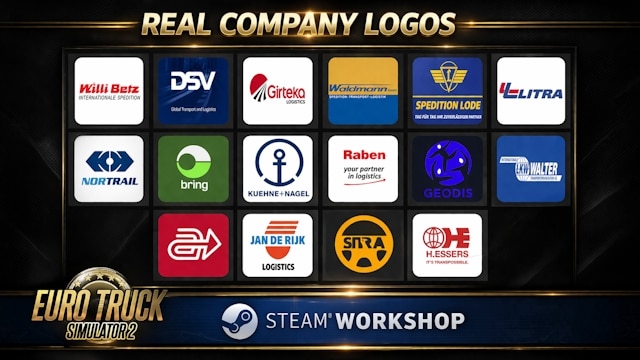
Real Company Logos
This mod replaces the default in-game player logos with real-world company logos to enhance realism and immersion in Euro Truck Simulator 2.
Experience a more authentic trucking atmosphere with recognizable brands from across Europe and beyond. All logos are carefully selected and integrated to fit seamlessly into the game world.
Features: Replaces fictional player logos with real company logos. Improves overall realism and immersion.
Advisor and Tachometer Options
The Advisor is a matter of personal preference, decide by yourself which one fit your game play between these options:
- Vanilla 1.59: the new layout is sufficient by itself, with the Tachometer to the left and Mini Map to the right.
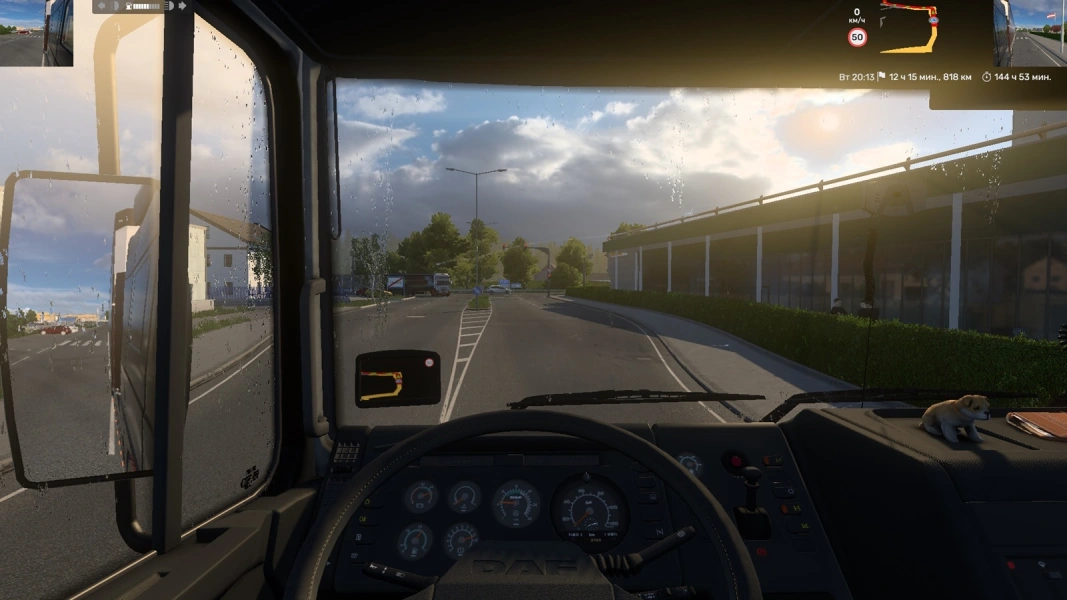
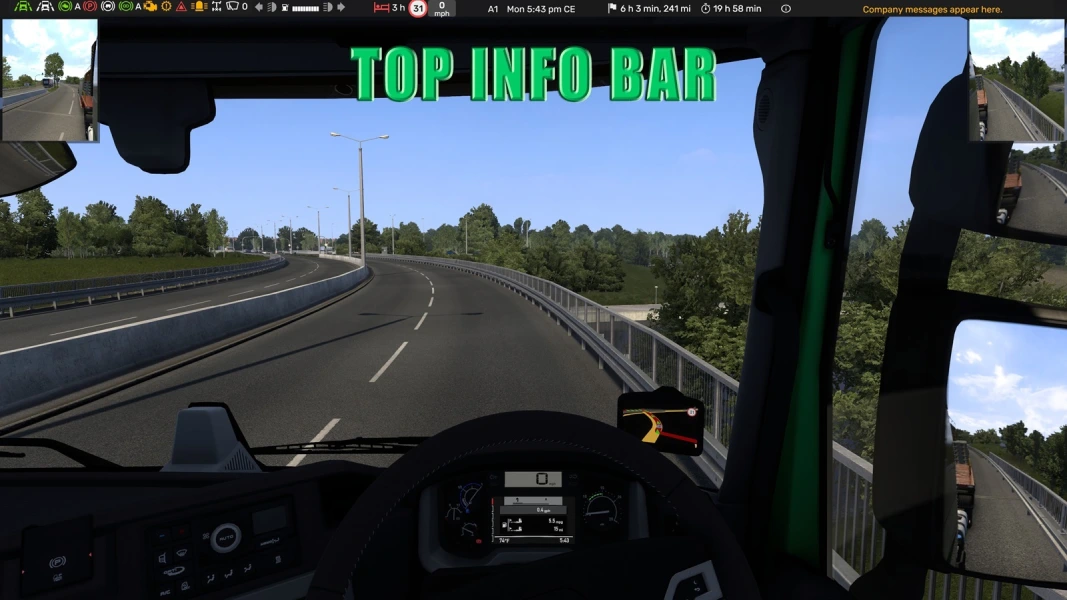
- NEW – UPDATED TO 1.60!: TOP BAR ETS2 1.60: excellent alternative to have all relevant info at the top. Link.
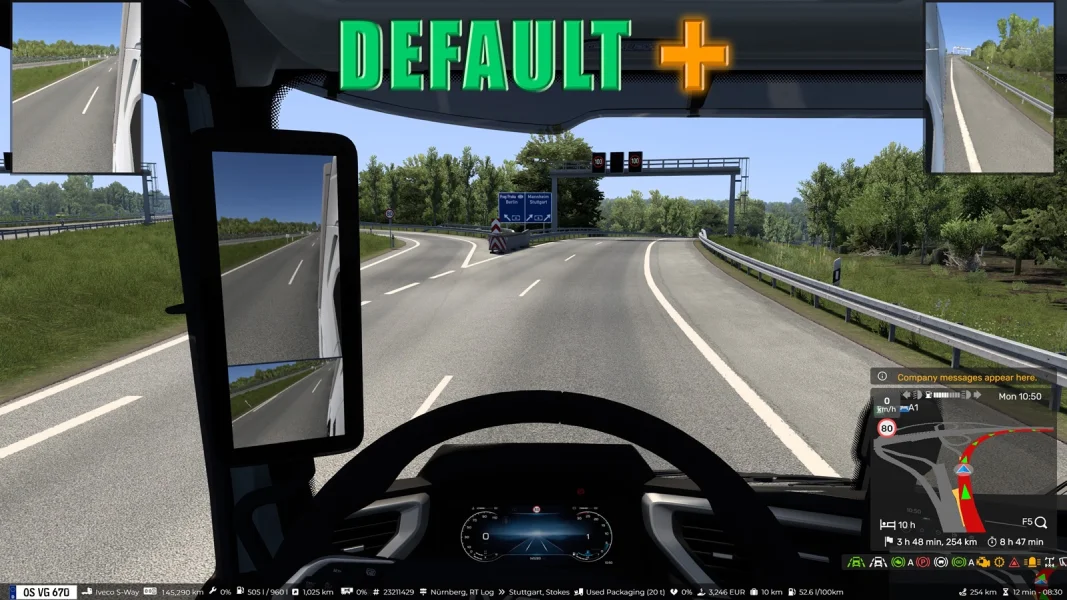
NO COMPATIBLE WITH 1.60! – Default+ Advisor 1.58: No Tachometer, Mini Map to the right bottom with the useful indicators below the map.Link.NO COMPATIBLE WITH 1.60! New Compact Advisor + mini mirrors: No Tachometer, Mini Map right top corner and few indicators at the top.Link.NO COMPATIBLE WITH 1.60! Top Info Bar: I use this one. No Tachometer, No Mini Map, all the relevant indicators at the top of the screen.Link.- UPDATED TO 1.60! YARA – Yet Another Route Advisor: Most of the information is placed at the top of the screen for convenience; no more big GPS or Windows in the bottom of your screen. – Link.
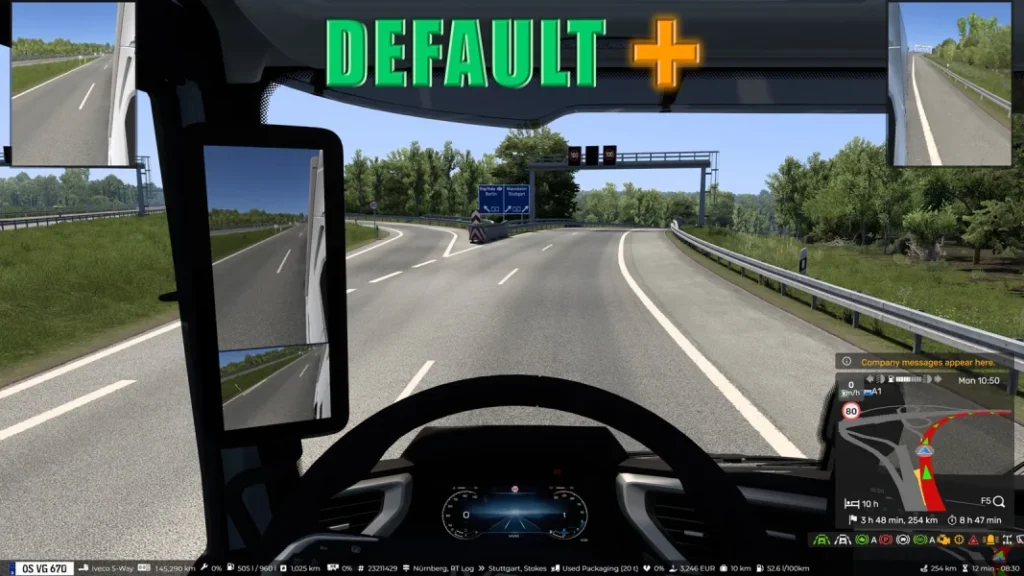
Special Instructions and Notes:
My recommendation is install all four and test them, having one enabled at a time, and compare with the Vanilla UI, and decide by yourself which one fit better for you. There is no wrong option really.
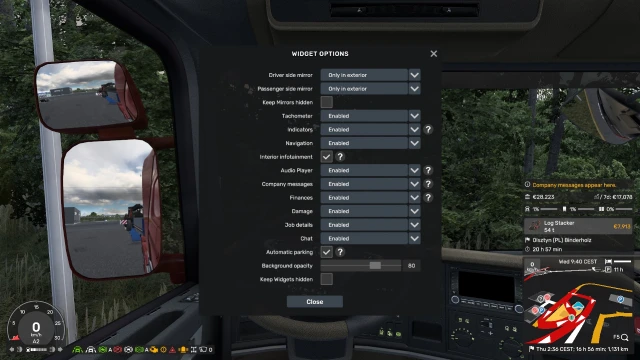
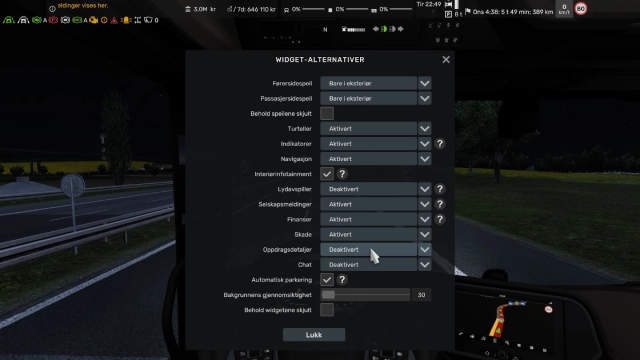

GPS for Quick Jobs (Helpful in VR)
This mod allows you to close the route advisor GPS while doing Quick Jobs, which can enhance immersion, particularly in VR.
Apple Siri Voice Navigation for ETS2
Experience the road with Siri!. Apple Siri Voice Navigation brings the iconic voices from Apple OS to truck simulator games. With over 90 voices in 24 languages to choose from, Siri is here to guide your trucking adventures, making your journey more enjoyable and memorable.
January 25 (4.5): Siri is now compatible with multiplayer (optional).

Special Instructions and Notes:
In-game Instructions:
- Click Mods on the title screen to open the mod manager.
- Double-click Apple Siri Voice Navigation to activate this mod.
- Open Options.
- Go to Audio > Voice Navigation > Language and voice and then select a voice you like.
Enjoy!
Waze Navigation Icons
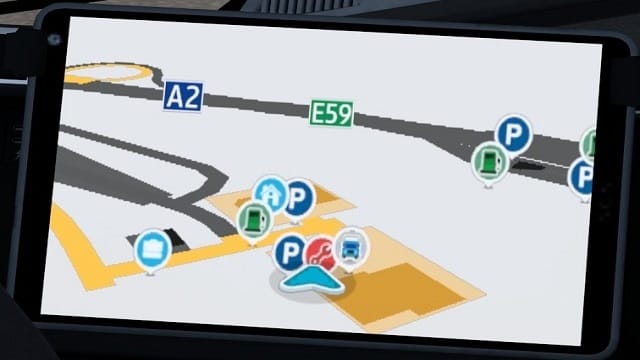
This mod replace the stock navigation icons to Waze styled icons.
This mod NOT include the light background! Available for separate download below in the Notes.
The icons made from Waze Navigation mod by StonesRP99.
Check the Optional Addons at the mod´s page. We don’t use in the guide, but are compatible.
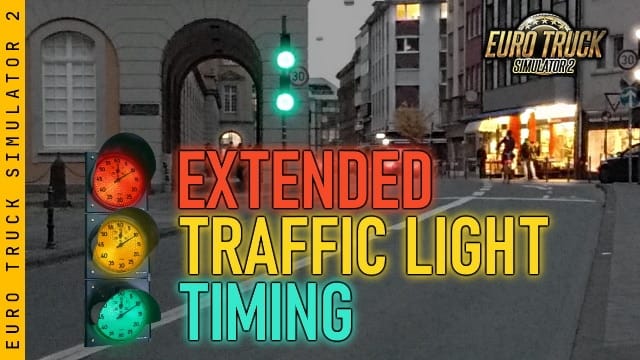
Extended Traffic Light Timing
This mod set longer timing signal to the traffic lights. The traffic light timing modifications are consist of:
- 24 seconds green light signal interval. (26 seconds in certain countries)
- 4 seconds yellow signal interval after the green light, before turned red.
- 2 seconds yellow signal after the red light, before turned green. (only at certain countries. also see “Light Sequences” section)
- 2 seconds interval between traffic light pattern switching.
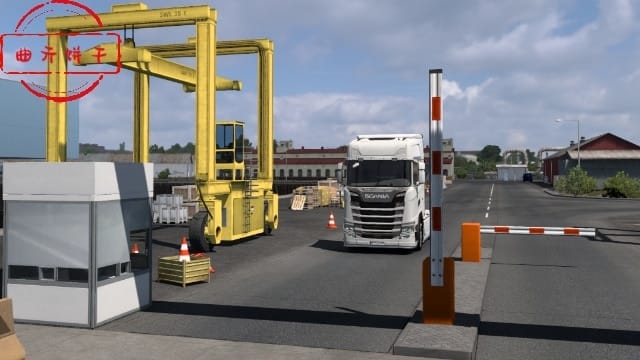
Open the gate quickly (快开门)
Quickly open the gate and quickly lift the railing mod.
This mod can open the door in advance to welcome your arrival, saving you time waiting for parking.
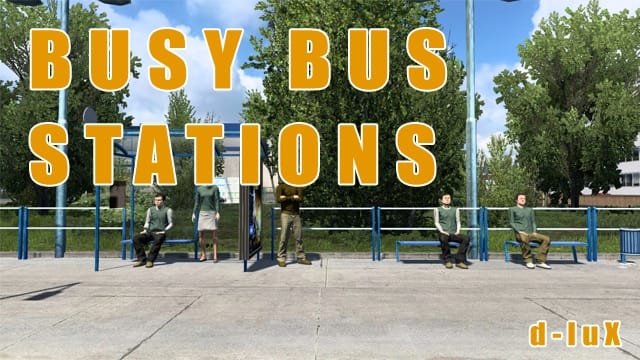
Busy Bus Stations
This mod adds peoples to small bus stations to bring a little more life to the streets.
Animated Steering Wheel
Steering Wheel Adjustment Explanation:
With a dynamic steering wheel, only one setting is available for adjusting the wheel’s height or angle.
Why not make a fully adjustable steering wheel? I’ve tried adding a skeleton to the model. While it works in the software, the game only has two options, so the dynamic setting takes up one, leaving only one for adjustment. Another approach is to use the official skeleton directly, but the result is the same: only one setting is adjustable, or none at all.
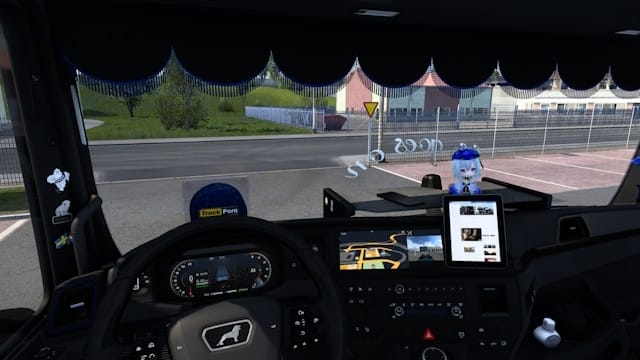
NEW MOD
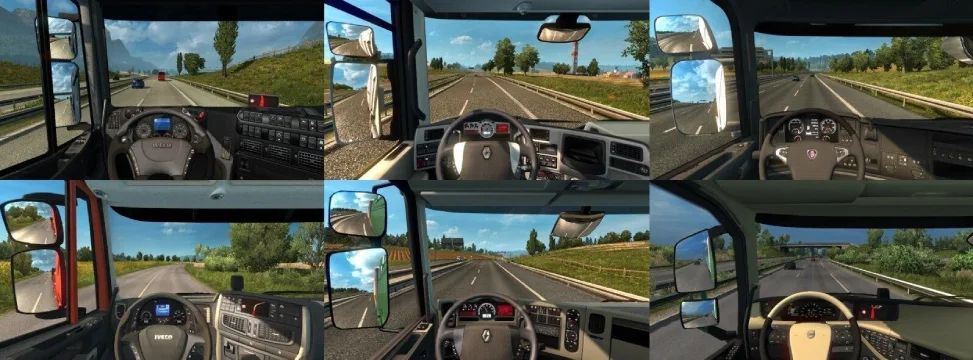
Real Interior Cams for all Trucks
Real Interior Cams – support for all default Trucks. It saves the need to adjust each time the FOV on each truck, specially when using Quick Jobs.
NEW MOD
Interior Improvements And Others
🚛A subtle, high-quality interior overhaul designed to refine your driving experience in Euro Truck Simulator 2 🛣️, enhancing immersion while staying fully true to the game’s original feel.
🌙This mod improves cabin materials, lighting balance, and visual consistency to create a cleaner, more realistic driving atmosphere. All changes are made with restraint, no overdone effects, no unrealistic redesigns, just a naturally more polished version of the base game experience.

Special Instructions and Notes:
✔️The goal is simple: enhance what already exists. A more refined, cohesive, and enjoyable interior feel for long drives while staying fully true to SCS Software’s original design philosophy.👇
☑️ Lightweight and performance-friendly
☑️ Fully compatible with the base game style
☑️ No intrusive or unrealistic edits
☑️ Plug in and enjoy immediately
NEW MOD
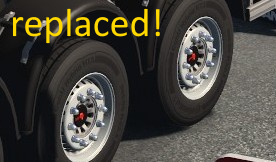
Replaced SCS Trailer Wheel
So, what’s this mod about: it replaces SCS default trailer wheel model with Smarty’s custom wheel.
That’s all, extremely simple, but – I do really like how it looks and the fact the trailers are way more stylish.
The steel wheel is replaced for all company trailers.
You roam with your owned custom trailer(s)?
Not a big deal, you still might be interested – ’cause after installing this mod most of the traffic trailer wheels are also replaced by the new model.
Special Instructions and Notes:
⚠️abasstreppas X-mas event trailer wheels is mandatory! This addon is dependent on its wheel model instance, it just rewrites it as a replacement.
(that’s why I shouldn’t be needing abasstreppas’ permission, I guess. Correct me if I’m wrong though…)
NEW MOD
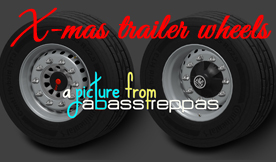
Abbas X-mas Trailers Wheels
Author: I made two different wheels for the event trailers. Just add the mod to your mod folder and activate it in the game 😀
NEW MOD
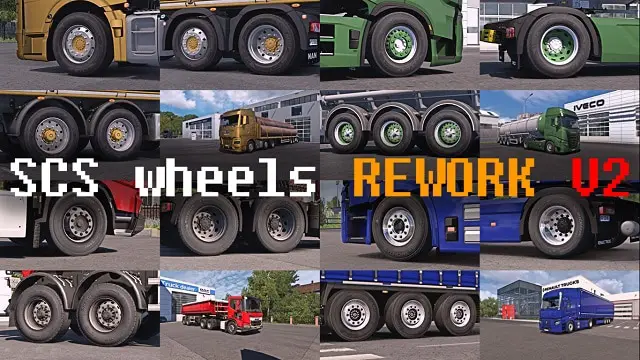
SCS wheels REWORK V2
- Still Compatible with ETS2 v1.60
This mod is a rework of the standard SCS wheels. A total of 167 models have been updated.
I took the most popular (and realistic) wheels, nuts, hubs and hub covers for both trucks and trailers, and I improved and standardized their material parameters in order to make them look better.
*The CUSTOM PAINT wheels allows you to select 1 color in game, while the other color is white by default. You can change the color of the white part, editing “vehicle/truck/upgrade/wheel/disc/editabletexture.dds”.
NEW MOD
Condazzo Wheels Pack
This mod adds more than 50 options for complete wheel customization. Fully compatible with both trucks and trailers!
🛠️ What’s included:
Wheels, Tires, Hubs & Hub Covers, Nuts/Bolts

Lightpack
The lightpack includes various lights ranging from more than 100 Strands Ambassdor variants, over Hella Rallye 3000, to beacons, over Talmus and doubleburners.
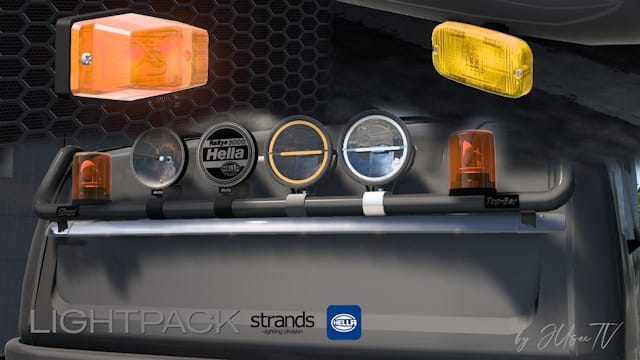
BC-Exterior Belka accessory
Modification allows you to purchase various accessories for your truck. Create your own style using quality accessories created by the workshop “Belka Customs”.
Any modification that adds slots is required for correct operation….
Included: “Was Parts” , “Aspock” , “TechAutoSvet”, “Vignal”, “Dasteri” products; High beam headlights: Hella Double Burners; Lollipops under mirrors; “Gylle” Side Horns; Rear Lights; Work Light Lights; Position/Marker Lights; Custom license plate kit (Frames, lettering, numbers, license plate mount, license plate illumination); and much, much more…

Special Instructions and Notes:
Modification works in the official convoy!
From version 2.5 you can set custom registration numbers, use the main slots for this: bottom grill/rear bumper, then red installation slots will appear, there is an example and instructions in the screenshots. You can also change the texture of the number or text through the graphic editor. You can implement this in a separate configuration modification, download it HERE [sharemods.com], there are also instructions inside the file.Important!
I advise you to use some console commands for better results
g_bloom 0 (Will remove lighting bloom, you can leave 0.3)
g_reflection 0 (Turns off blur on glass elements )
Known Bugs & Issues:
How to get rid of errors in the “game log” related to the lack of already installed parts when updating the modification:
1. Upload your game profile
2. Save the game
3. Enter the command in the console “g_remove_missing_accessories 1”
4. Load the save made earlier
5. Enter the command in the console “g_remove_missing_accessories 0”
NEW MOD
Better FOV for Tjs HD GPS Mod
This mod add better FOV for Tjs HD GPS Mod.
You also need the original mod!
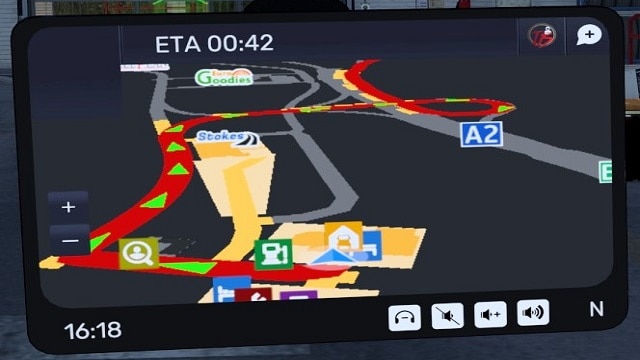
Tjs HD GPS Mod
Hanging Items (Recommended if using a wide screen monitor)
Windshield Corner
Windshield Sets
Air Conditioner Items
Dashboard Sets
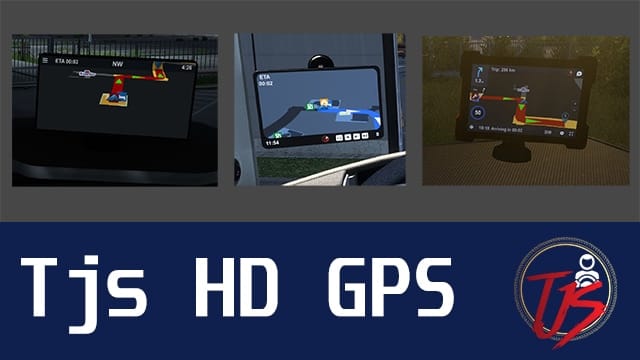
Special Instructions and Notes:
This mod is categorized as a Tuning Parts, so place it along other tuning parts mod you may have. It should have a higher priority than any map mods, meaning it should be placed above map mods on the mod list.
Known Bugs & Issues:
IF GPS NOT SHOWING AND YOU SEE THE GPS TEXT, TRY SELECTING OTHER VARIATION FROM EITHER DRIVER SIDE OR WINDSHIELD. THERE IS A BUG IN THE GAME WHICH IS CAUSING THIS MOD NOT TO FUNCTION PROPERLY.
NEW MOD
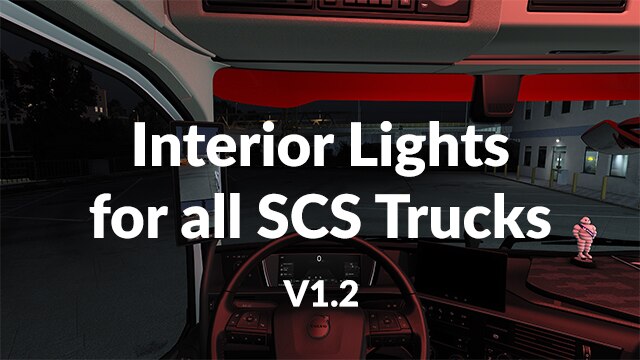
Interior Cabin Lights
Install it on your cabin roof (beacon) and choose your color. Mod optional for multiplayer.
Turn on/off with button O, 7 colors:
– White, Yellow, Orange, Green, Blue, Red, Purple
Version 1.59.*
Special Instructions and Notes:
v1.1 without “O” button https://steamcommunity.com/sharedfiles/filedetails/?id=3721138252
Farsel’s Cab Cats
This mod allows you to travel the highways with a feline companion. Cats are fully animated to the limits the game allows. One 60 second loop, with three different animations depending on where the cat is placed.
Six fur patterns: Ginger (Modeled after my own cat), Tuxedo, Tabby, All white, All black, White with black spots.
Five attachement locations: Dashboard, Passenger seat, Bed, Sofa, Table. Additional Items: Litter box, Cat bed, Loose collar, placeable and hanging, Toy mouse, placeable and hanging,
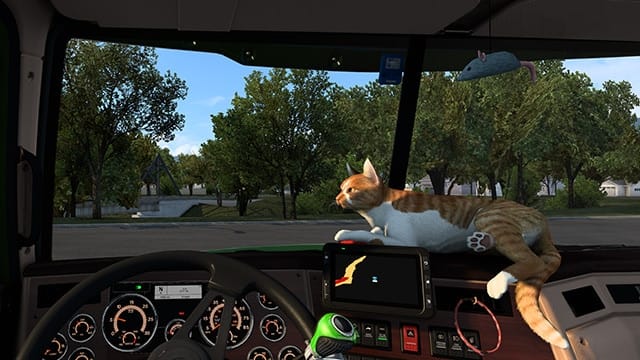
Known Bugs & Issues:
Due to the vast array of dash designs in each truck, the dash cats may not perfectly fit in all cases.
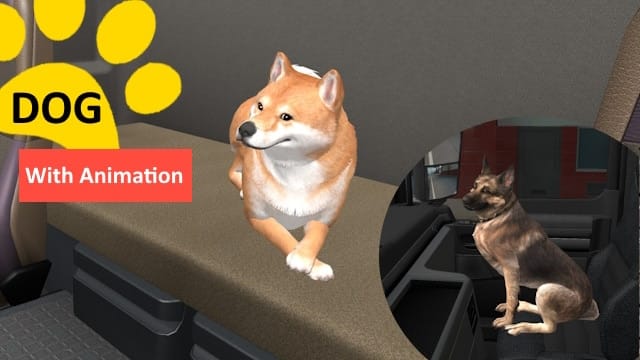
Dog
Much animation, such mod, wow
Add animated dogs model from “Fallout 4” game.
Breeds available are Shiba inu, Border Collie and German shepherd, I plan to add more in the future
Passengers are cabin accessories. If you still don’t see them, you need Cabin accessories DLC
Just clutter revisited
Well mostly nostalgia stuff, classic cb radios, vintage and retro coffee makers and lunch boxes, general cool stuff, road maps, sodas and more, it’s really best to watch this video https://youtu.be/7rYYTHvANIo and/or view the images.
The mod also adds more locators so you can have more items as pillows or bed items, even more SCS ones, but you need to own or have earnt the respective dlc/WOT items for the SCS items to be visible, the mod only adds def files for SCS items, not the models.
Special Instructions and Notes:
Though I’m trying real hard, I’m still not that good in optimizing models so if you have a low end PC, DO NOT SUBSCRIBE, I’m sorry, will get better eventually, but many items in the mod are not up to SCS standards.
ProMods Cabin Accesories Pack
- Fully Compatible with ETS2 v1.60
- Mugs with more than 60 different country flags and a ProMods mug
- Over 60 pennants, big and small, with country flags, a few ProMods pennants and some mini scarfs
- A Promods-themed curtain
- Three ProMods-themed dice
- And more…

Special Instructions and Notes:
DLC Requirements: Cabin Accessories DLC.
Better Flares Addon – ETS2 Real AI spawns addon for Classic
Better Flares Addon ETS2 Real AI spawns addon for Classic
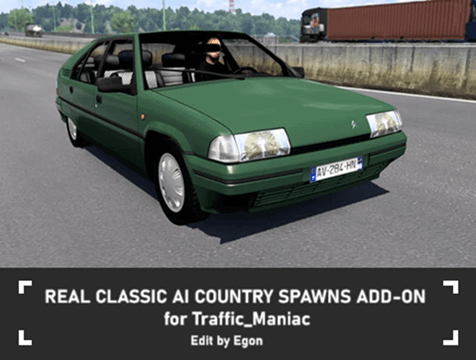
REAL CLASSIC AI COUNTRY SPAWNS ADD-ON for Traffic_Maniac
I continued in my work with real country spawns, as I presented in my main mod, Real AI Country Spawns Add-on for Jazzycat. Hereby I am happy to intruduce my next and very similar add-on, this time for Traffic_Maniac’s Classic cars traffic pack.
This add-on sets all cars to REAL SPAWNS BY COUNTRY they appear in. Every country has custom setting of all cars spawning, according to the real traffic and car brands popularity. Spawns follow also country’s wealth, which means no more luxury cars on every corner in less wealthy countries like Romania or Macedonia for example.
Better Flares Addon – ETS2 Real AI spawns addon for Sports
Better Flares Addon ETS2 Real AI spawns addon for Sports
Real Sport AI Country Spawns for Traffic_Maniac
I continued in my work with real country spawns, as I presented in my main mod, Real AI Country Spawns Add-on for Jazzycat. Hereby I am happy to introduce my next and very similar add-on, this time for Traffic_Maniac’s Sport AI cars traffic pack.
This add-on sets all cars to REAL SPAWNS BY COUNTRY they appear in. Every country has custom setting of all cars spawning, according to the real traffic and car brands popularity. Spawns follow also country’s wealth, which means no more luxury cars on every corner in less wealthy countries like Romania or Macedonia for example.

Real Country SCS AI Spawns
This mod sets all SCS cars to REAL SPAWNS BY COUNTRY they appear in. Every country has custom setting of all cars spawning, according to the real traffic and car brands popularity. Spawns follow also country’s wealth, which means no more luxury cars on every corner in less wealthy countries like Romania or Macedonia for example. I studied those countries using sells statistics and dashcam videos from most countries, this is actually result of several years of work and constant improving.
Countries with spawns set are all SCS countries. Add-on also supports and set spawns for these map mods: Promods, Promods Middle-East, Promods Great Steppe, Road to Asia and Road To Africa (by Terramaps), Java Road Revolution map (= Indonesia map), Maghreb map mod (North part of Africa), Heart of Africa and Horn of Africa maps
NEW MOD
Real Traffic Density – Ratio Adjustment
A small add-on that adjusts vehicle ratio (car, truck, van, bus, etc) from Real Traffic Density by Cipus.
1. Standard Adjustments:
– Significantly reduced truck to car ratio, it will now range from around 1:20 in daytime to around 1:3 in nighttime.
– Adjusted light-duty/medium-duty truck to car ratio to spawn more properly during working hours.
– Adjusted bus ratio to spawn more properly during working hours.
– Adjusted emergency vehicles ratio. They should spawn a lot less in non-city areas, especially the silent ones if you also use Cip’s Real Emergency Pack.
Special Instructions and Notes:
2. RTD Exclusive Adjustments:
– Reduced classic car to modern car ratio in traffic. It will now be roughly 1:20 in daytime and classic cars will not spawn at night.
– Reduced motorcycle to car ratio in traffic. It will now be roughly 1:30 all day long.
– Reduced sport car to modern car ratio in traffic. It will now be roughly 1:50 in daytime to 1:20 in nighttime.
– BDF truck spawn ratio is not adjusted. I feel that the number of BDFs is just right.
RTD Exclusive Adjustment requires you to manually modify traffic storage to RTD custom traffic storage (classic, sport, BDF, and moto). See instructions in the discussions forum on the RTD Steam Workshop page. You can also use sound patches from Cip’s Discord server that include these modifications.
Real Traffic Density ETS2
Why a traffic density mod is necessary?
Everybody knows that the default traffic is very basic with very low density with minor differences day/night or type of roads. This mod was built using realistics charts presented on SCS forum

Realistic Drivers – ETS2 Version
Hello! This mod edits the traffic_data definition file in an effort to adjust the AI driving behavior to be more realistic. In my game, I have noticed that AI vehicles will often go out of their way in an effort to hit you, such as slamming on the brakes, merging into you, willingly driving into you for no reason etc. This is my edit to make the behavior more realistic, as I’ve found the default AI behavior to be rather immersion breaking at times, and downright frustrating.
*NOTE THIS MOD IS CREATED BY PURITYCONTROL, AND WAS ADAPTED BY ME WITH PERMISSION FOR ETS2, I TAKE NO CREDIT FOR THIS MOD OTHER THEN THE FEW SECONDS IT TOOK TO CONVERT IT AND ADAPT IT TO ETS2*
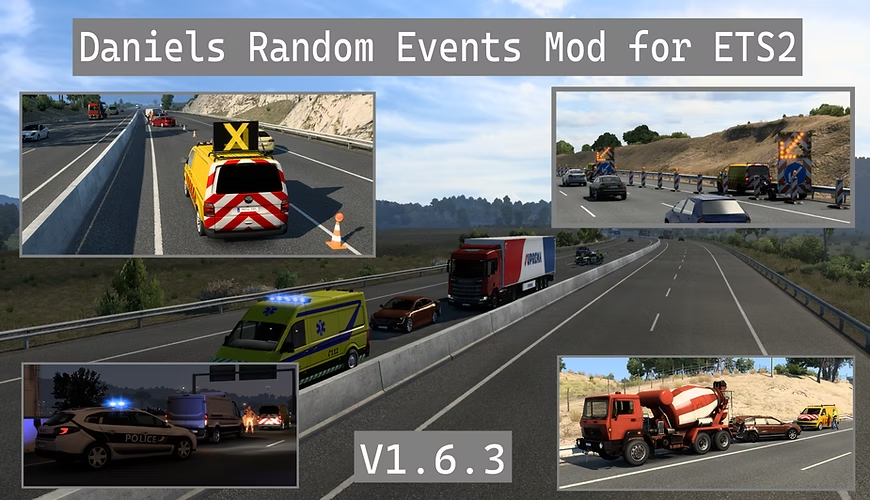
Daniels Random Events Mod
This mod adds over 450 different new random events to appear on the roads in ETS2.
There are many different types of events ranging all the way from car accidents to asphalt patches and from trailer fires to breakdowns.
All of the events are dynamic in one way or another so they are slightly different each time they spawn.
All of the events have different rarity levels depending on the type of event so some events will spawn more often than others.
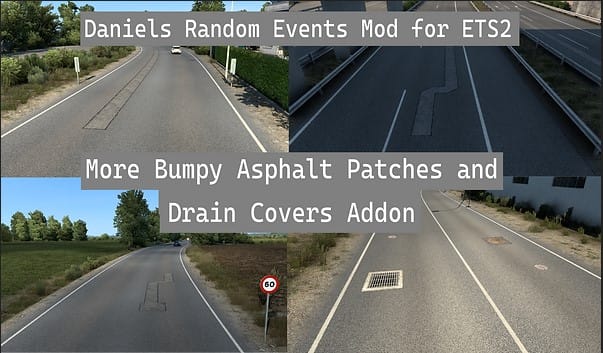
Daniels Random Events Mod – More Bumpy Asphalt Patches Addon
This optional addon will increase the amount of bumpy asphalt patches and drain covers you will encounter on the roads in ETS2.
Special Instructions and Notes:
Place below Collision models mod.
NEW MOD
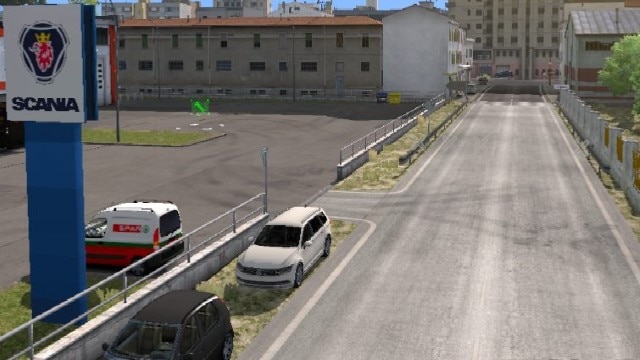
More varied parked traffic
Adds more varied parked traffic to all existing parking spots.
This mod works best if you use RTD and have modified traffic packs. It has less function otherwise.
With or without Cipinho’s Real Traffic Density and Ratio mod:
-Truck parking spots are extended, so all trucks (and trailer combos) can park there.
-Several parking spot types were extended for more vehicles as well.
RTD only:
-You will now also find sports cars and BDFs parked on streets and pedestrian lots.
Special Instructions and Notes:
To make this work with Jazzycat/Trafficmaniac’s packs, you will need to edit the car packs as well, or use a mod like Realistic Country Spawns which allows parking for those vehicles without the need to edit them.
If you want to edit the packs yourself, see the following instructions:
https://steamcommunity.com/workshop/filedetails/discussion/2456829256/4336483638882043614/
https://steamcommunity.com/workshop/filedetails/discussion/2456829256/4594236924153512268/
NEW MOD
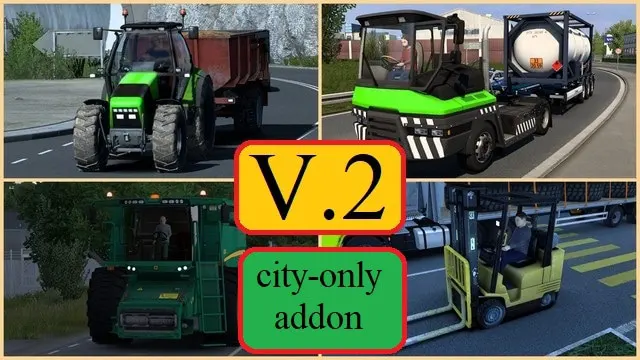
Slow Traffic Vehicles V.2 – City Only Addon
This is the addon for my “Slow Traffic Vehicles V.2” (https://steamcommunity.com/sharedfiles/filedetails/?id=3403777587) mod which limits all its the slow vehicles to cities only. It means they should no longer enter any highways.
The functionality of this addon is purely experimental. As I once said, I tried to make this without editing any of SCS core files like “traffic_lines.sii” and others because otherwise it will cause a range of compatibility problems.
Special Instructions and Notes:
Mod manager priority: strictly above the main mod (Slow Traffic Vehicles V.2).
Other mods compatibility: should work with other mods (traffic, sounds etc.).
Slow Traffic Vehicles V.2
Originally this mod adds some slow traffic vehicles into basic traffic (cities, highways etc.). They have reduced top speed (and also realistic engine settings and mass), causing traffic jams and more complicated road conditions.
All the vehicles are from SCS files, but these vehicles do not show on roads for some reason. And now they do, after a little tweaks from the def side.

Better Flares Addon ETS2 Emergency vehicles by Egon
Better Flares Addon ETS2 Emergency vehicles by Egon
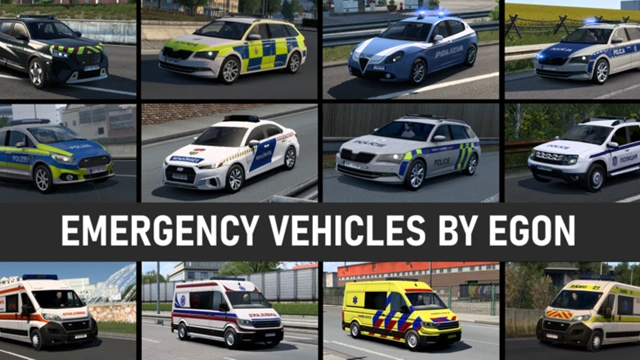
Emergency vehicles by Egon
All emergency vehicles are and will always be based on SCS vehicles. That way the mod is compatible and fits-in for anyone playing the game, whether used with Jazzycat’s AI cars or only with SCS basic traffic. Of course I recommend to use it with my mods like Real SCS AI Country Spawns mod or Real Spawns add-on to Jazzycat’s AI pack.
Currently there are emergency vehicles for these countries:
Austria, Belgium, Bulgaria, Czech Republic, Denmark, Finland, France, Germany, Hungary, Italy, Lithuania, Luxembourg, Netherlands, Norway, Poland, Romania, Russia, Slovakia, Sweden and United Kingdom.
Better Flares Addon – ETS2 Real Emergency AI Pack ETS2 def by Cipus
Better Flares Addon ETS2 Real Emergency AI Pack ETS2 def by Egon
NEEDS EDITING
Real Emergency Ai Pack definition
Definition file included in Real Emergency Ai Pack 1.60 base edition below

Special Instructions and Notes:
The Problem: The mod has excellent emergency vehicles but with spawn ratios of 1.0, making them appear too frequently. Values like 1.00 cause certain vehicles (Fire trucks) to dominate traffic, while a more reasonable spawn ratio like 0.02 would be perfectly balanced. We want to reduce all values of 1.0 down to 0.02.
Step 1: This mod is manually downloaded (not a Steam Workshop mod), and is in .scs format, so we will use our Unpack – Pack SCS Files.bat (see Appendix 1: Mod Tool – Unpack/Edit/Pack SCS Files Easily for instructions how to use it). Open the tool, write 1 and in the selection window navigate to Documents\Euro Truck Simulator 2\mod, there select the file Real Emergency Ai Pack ETS2 1.58 def.scs. The tool will unpack it and place it inside the Unpack folder: ETS2-ATS Editing Mods\Mods\Unpacked.
Tip: Navigate till: ETS2-ATS Editing Mods\Mods\Unpacked\Real Emergency Ai Pack ETS2 1.59 def\def\country and copy the full path (it will include your drive letter, like G:\ETS2-ATS Editing Mods\Mods\Unpacked\Real Emergency Ai Pack ETS2 1.58 def\def\country). You’ll paste this directly into Notepad++.
Step 2: Open Notepad++
Launch Notepad++
Go to Search menu → Find in Files (or press Ctrl+Shift+F)
Step 3: Configure the Search and Replace
In the “Find in Files” dialog, enter these exact settings:
Find what:
(spawn_ratio:\s*)([1-9]\d*\.?\d*)
Replace with:
\10.2
Filters: Leave empty (this will search all files in the folder)
Directory: Paste the full path you copied from File Explorer, for example:
x:\ETS2-ATS Editing Mods\Mods\Unpacked\Real Emergency Ai Pack ETS2 x.xx def\def\country
(Your drive letter may be different – use whatever appears in your File Explorer address bar)
Search mode: Select Regular expression from the dropdown
Leave other options unchecked
Step 4: Apply the Changes
Click “Replace in Files”
Notepad++ will show a message saying how many replacements were made.
Step 5: Fine-Tuning Fire Truck Spawn Rates
After the previous step, all emergency vehicles across all countries are now set to 0.2. For most countries this is acceptable, but nine countries have significantly more fire truck models defined, which means fire trucks will still appear too frequently there. Those countries need their fire truck entries reduced further, manually.
Countries requiring manual adjustment: Open the traffic.emergency_cip.sii file inside each of these country folders and change only the fire truck entries from 0.2 to 0.04:
czech
france
germany
italy
portugal
russia
slovakia
spain
turkey
How to identify fire truck entries
Inside each file, fire truck entries are grouped under a comment block that reads:
########## Fire Departement
Only change the spawn_ratio values for entries in that section. Leave the Police and Ambulance sections untouched.
How to do it in Notepad++
Open Notepad++ and open the file for the first country
Press Ctrl+H to open Find & Replace (single file, not Find in Files)
Set Search Mode to Normal
Enter:
Find what: spawn_ratio: 0.2
Replace with: spawn_ratio: 0.04
Manually scroll to the Fire Department section and use Replace (not Replace All) to change only those entries one at a time
Save the file and repeat for each of the 9 countries
⚠ Do not use Replace All here — it will also change your police and ambulance entries in the same file.
What about the remaining countries?
All other countries have only 2 fire truck entries and remain at 0.2. If after testing in-game you still find fire trucks appearing too often in those countries, you will need to open each country file individually and lower those fire truck entries from 0.2 to 0.1 following the same method described above.
Step 6: Now we will use again the tool to repack the mod into a .scs file. Open the tool, write 2, and navigate to the folder where is the mod unpacked: x:\ETS2-ATS Editing Mods\Mods\Unpacked, select the Real Emergency Ai Pack ETS2 x.xx def folder and proceed, select option 1 (pack to .scs) and after done, close the tool. Now go to x:\ETS2-ATS Editing Mods\Mods\Packed and there will be a file named Real Emergency Ai Pack ETS2 x.xx def.scs, copy it and paste it in x:\Documents\Euro Truck Simulator 2\mod and select “Replace the file in the destination when prompted.
Done!
Real Emergency Ai Pack base edition
Mod adding in traffic on-duty versions of all SCS stock police and emergency vehicles with beacon and personalized siren sounds for the covered SCS countries
Better Flares Addon – RS Recovery Tow Truck Traffic by Paulys
Better Flares Addon – RS Recovery Tow Truck Traffic by Paulys
NEW MOD
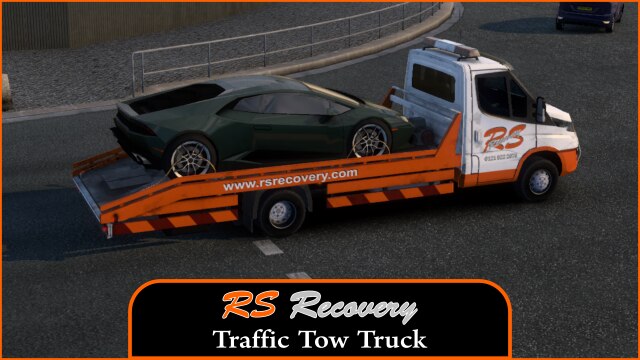
RS Recovery Tow Truck Traffic
RS Recovery Tow Truck Traffic,here is another traffic truck for you guys,now these will spawn with different cars on the back,ive kept the spawn rate pretty low.
Better Flares Addon – Crouch Recovery Traffic Tow Truck by Paulys
Better Flares Addon – Crouch Recovery Traffic Tow Truck by Paulys

NEW MOD
Crouch Recovery Traffic Tow Truck
Here is another Crouch Recovery Traffic Tow Truck, now you might see it with a car on the back you might not. Ive gotten it spawning not too often,just enable it in mod manager and it will just show in traffic at random.

Better Flares Addon – JCB Escort Vehicle by Paulys
Better Flares Addon – for JCB Escort Vehicle by Paulys

NEW MOD
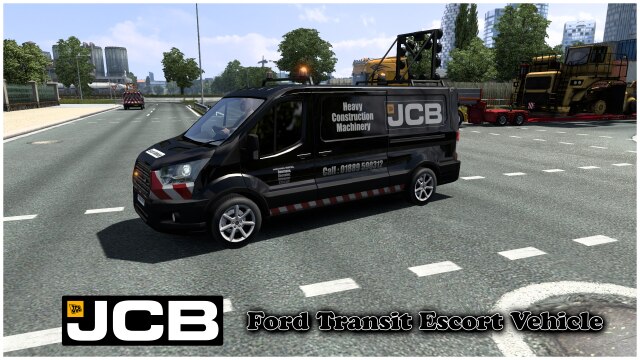
JCB Escort Vans
Ford Transit Escort Vans……skinned for your JCB heavy loads…….will do more in time to come,these cannot be driven….just activate in mod manager and they will appear everytime you do the special loads.
NEW MOD
ATS Jazzycat AI to ETS2
Some time ago I got a request that it would be neat to make an AI pack of American cars imported to Europe. I am always happy for more people interested in AI traffic, so I decided to make it. Here I present a pack of AI vehicles I borrowed from Jazzycat’s AI pack for ATS, and made it work in ETS2. This is standalone AI pack, however I recommend to use it together with Jazzycat’s AI pack and my real spawns add-ons.
For a start, I’ve chosen several cars I find useful for traffic. It consist of vehicles that are missing in Jazzy’s ETS2 pack (Toyota RAV4 ’04, Chevrolet Cruze..) and US vehicles that are often imported to Europe individually (esp. Dodges or Cadillac).

Special Instructions and Notes:
List of vehicles:
Cadillac – CTS ’10, Escalade ’16, XT4 ’18
Chevrolet – Camaro ’10, Corvette ’06, Cruze ’08, Impala ’67, Tahoe ’07
Chrysler – 300C ’08
Dodge – Durango ’11, Challenger ’09, Charger ’12
Ford – Mustang (’65, ’13)
Hummer – H3
Hyundai – Elantra (’08, ’21), Genesis ’16
Infiniti – FX50
Jeep – Cherokee ’84, Wrangler
RAM – 1500 ’13
Toyota – Camry ’18, RAV4 ’04
You can suggest more vehicles I should add, but keep in mind that the vehicle should have real chance to spot it in European traffic. You can suggest both modern cars or classic cars from his Classic AI pack for ATS. Concern suggestions to main Europe countries and in terms of realism, not everyone uses African or Brazil maps and there aren’t tons of US oldtimers in Europe.
List of countries set:
AFGHANISTAN, ALBANIA, ANDORRA, AUSTRIA, AZERBAIJAN, BELGIUM, BOSNIA AND HERZEGOVINA, BULGARIA, CAMEROON, CHAD, CHINA, CROATIA, CYPRUS, CZECH REPUBLIC, DENMARK + FAROE ISLANDS, EGYPT, ESTONIA, ETHIOPIA, FINLAND + ALAND, FRANCE, GAMBIA, GEORGIA, GERMANY, GREECE, GREENLAND, HUNGARY, ICELAND, INDONESIA (JRR map), IRAQ, IRAN, IRELAND, ITALY, JORDAN, KAZAKHSTAN, KOSOVO, KYRGYZSTAN, LATVIA, LEBANON, LIBERIA, LIBYA, LITHUANIA, LUXEMBOURG, MACEDONIA, MONTENEGRO, MOLDOVA, MORROCO, NETHERLANDS, NIGERIA, NORTH KOREA, NORWAY, PAKISTAN, POLAND, PORTUGAL, ROMANIA, RUSSIA, SAUDI ARABIA, SENEGAL, SERBIA, SLOVAKIA, SLOVENIA, SOMALIA, SOUTH KOREA, SPAIN, SUDAN, SWEDEN + SVALBARD, SWITZERLAND, SYRIA, TAJIKISTAN, THAILAND, TUNISIA, TURKEY, TURKMENISTAN, UKRAINE, UNITED KINGDOM, UZBEKISTAN, WEST BANK (PALESTINE)
Mod features:
– Real spawns by country
– Realistic colours palette, several vehicles have real colours
– Luxury and sports cars have xenon/LED lights on road surface
– Standalone AI pack
Better Flares Addon – ETS2 Polish Traffic_pack
Better Flares Addon ETS2 Polish Traffic_pack

Polish Traffic Pack
Polish Traffic Pack – a mod that adds authentic Polish vehicles to ETS2 traffic, bringing a true Polish atmosphere to the roads.
All vehicles spawn only in Poland, included map combos.

NEW MOD
Better Flares Addon – Morocco [Traffic] v1
Better Flares Addon Morocco [Traffic] v1
NEW MOD
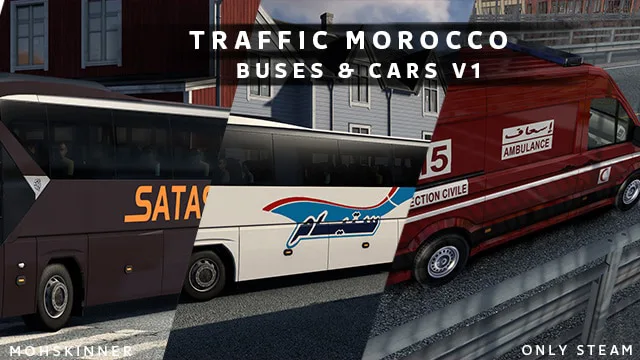
Morocco [Traffic] v1
Morocco [Traffic]:
NEOPLAN Tourliner: LA Satas, Assa Tours, CTM, Superatour,
Volkswagen Crafter: Civil Protection Ambulance, Ambulance to the hospital, Death Car Morocco
This Skin Working in 1.59.x
NEW MOD
Better Flares Addon – Egon’s AI Traffic pack v1.0
Better Flares Addon – Egon’s AI Traffic pack v1.0
NEW MOD
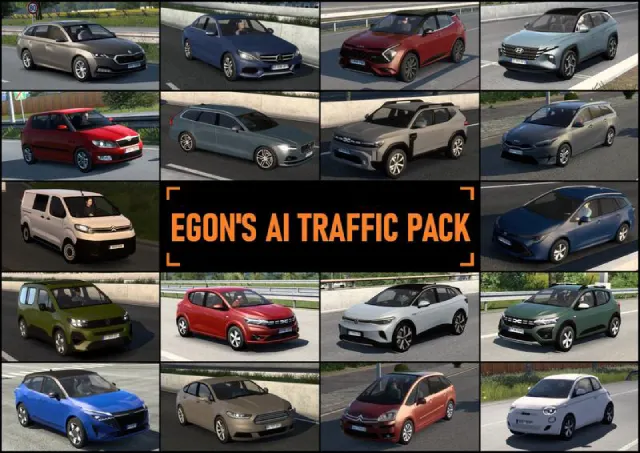
Egon’s AI Traffic Pack
I would like to introduce my own AI traffic pack with my own vehicles! I would like to follow the legacy of Jazzycat and his more than decade-lenght stretched work of adding AI vehicles. We are all very grateful for his work. However, since the illness stopped him from adding cars already years ago, I decided I want to take over the reins, and did what I always wanted – make my own AI vehicles. And after many struggles, pain and lost nerves, I finally was able to make my own AI cars! My intention is to COMPLEMENT his work, not replace his years of work. 😉
Special Instructions and Notes:
List of vehicles:
– Citroen C4 Picasso ’06, Jumpy ’21
– Dacia Duster ’18, Duster ’24, Sandero ’22, Sandero Stepway ’22
– Fiat 500E ’20, Scudo ’21
– Ford Mondeo ’14, Transit Custom ’20
– Hyundai Tucson ’21
– Kia Ceed SW ’22, Sportage ’22
– Mercedes-Benz C-Class (w205) ’14
– Nissan Qashqai ’24
– Opel/Vauxhall Mokka ’23, Vivaro ’21
– Peugeot 207SW ’10, 308 hatchback ’24, Rifter ’24
– Seat Ibiza ’17
– Skoda Citigo ’11, Enyaq ’20, Fabia ’11, Felicia ’98, Octavia Combi ’20, Scala ’20
– Toyota Corolla Wagon ’18
– Volkswagen ID.4 ’21
– Volvo V90 ’17
NEW MOD
Better Flares Addon – AI Traffic Cars from ATS by grlk3512
Better Flares Addon – AI Traffic Cars from ATS by grlk3512
NEEDS EDITING
AI Traffic Cars from ATS
Standalone AI traffic cars from American Truck Simulator.
They appear on any maps and not replace any original cars.
This mod also restores fictional badges and removes spawn limit for original European AI cars.

Special Instructions and Notes:
📌 Step‑by‑Step Instructions
Step 1 – Locate the source file
Open your Steam Workshop directory for ETS2:
x:\Steam Games\steamapps\workshop\content\227300
Find the folder 1220041197 – this is the mod’s unique ID.
Inside it you will see a file called universal.zip. This is the packed mod.
Step 2 – Unpack the mod using the batch tool
Run Unpack – Pack SCS Files.bat as administrator.
Choose Option 1: Unpack.
Navigate to 1220041197/universal.zip and select it.
The tool will extract the contents to:
x:\ETS2-ATS Editing Mods\Mods\Unpacked\universal
Step 3 – Open Notepad++ and set up the search
Launch Notepad++.
Press Ctrl+Shift+F (or go to Search → Find in Files).
Step 4 – Configure the “Find in Files” dialog
Find what:
(spawn_ratio\s*:\s*)(?!(?:0+(?:\.0+)?)$)(\d+\.?\d*)([\r\n]+)
Replace with:
\10.3\3
Filters: leave empty (searches all files)
Directory: browse to x:\ETS2-ATS Editing Mods\Mods\Unpacked\universal\def\country
(⚠️ Use the exact path, not just the root folder)
Search mode: Regular expression (dropdown)
Leave all other checkboxes unchecked.
Step 5 – Test before applying
Click “Find All” to see which lines will be changed.
Verify that only spawn_ratio values greater than 0.3 are selected.
(Values exactly 0.3 or lower remain untouched.)
Step 6 – Apply the changes
Click “Replace in Files”.
Notepad++ will show a confirmation message with the number of replacements made.
Step 7 – Repack the mod
Close Notepad++.
Return to the batch tool and select Option 2: Pack.
Browse to x:\ETS2-ATS Editing Mods\Mods\Unpacked\universal and confirm.
The tool will create a new universal.zip inside x:\ETS2-ATS Editing Mods\Mods\Packed.
Step 8 – Replace the original mod file
Copy the freshly packed universal.zip from the Packed folder.
Paste it into the Steam Workshop mod folder:
x:\Steam Games\steamapps\workshop\content\227300\1220041197
Choose Overwrite when prompted.
Step 9 – Clean up temporary files
Delete the unpacked folder:
x:\ETS2-ATS Editing Mods\Mods\Unpacked\universal
Delete the packed file (optional, but recommended):
x:\ETS2-ATS Editing Mods\Mods\Packed\universal.zip
(Failing to do this may confuse future unpack operations, as other mods may also be called universal)
African AI revival pack
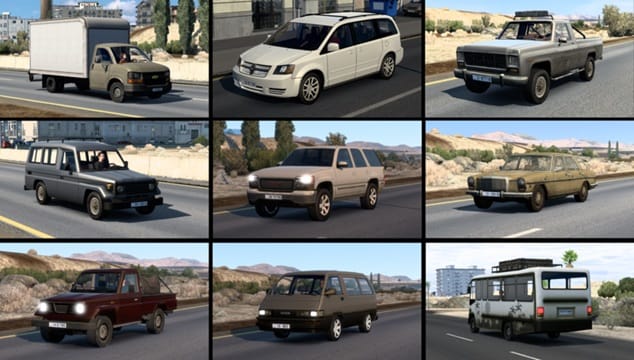
I present small AI pack of African/Middle-East vehicles, originally made by Jazzycat. Sadly he removed them years ago from his original main AI pack. Thankfully, I had a backup of his old pack. As I returned to Promods after some time, and driving through Middle-East map, I really missed them. So I decided to revive them. I fixed some materials and did all setting needed to set them back in the game and did spawns for reals spawns.
Note: this mod will mostly be present in Middle-East and African mod maps. In Europe depending on countries, a very few will have a small chance to spawn.
NEW MOD
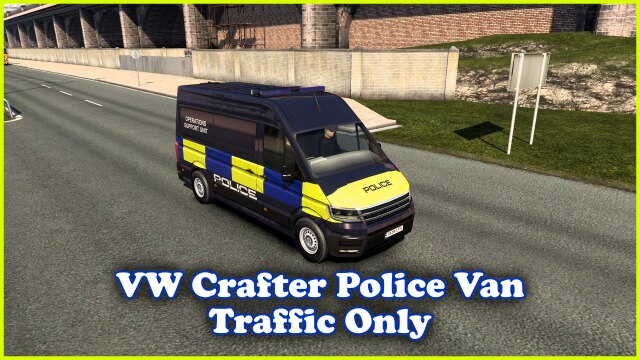
Better Flares Addon – VW Crafter Police Van UK (Traffic Only) by Paulys
Better Flares Addon – VW Crafter Police Van (Traffic Only) by Paulys
NEW MOD
VW Crafter Police Van (Traffic Only)
VW Crafter Police Van (Traffic Only)…….so this will drop a VW Crafter van in your traffic,it is not drivable before anybody asks,just activate in mod manager and it will appear,ive set the spawn rate low.
Updated to only spawn in the UK.
NEW MOD
Better Flares Addon – RAC Traffic Van UK by Paulys
Better Flares Addon – RAC Traffic Van UK by Paulys

NEW MOD
RAC Traffic Van
RAC VW Transporter traffic van,this is a uk based breakdown company that operates all across the uk,now this is just a traffic van you cannot drive it,just activate it in your mod manager and it will spawn in your traffic.

NEW MOD
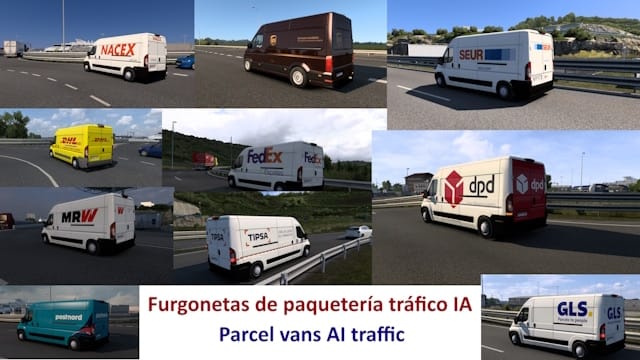
Better Flares Addon – Parcel vans AI Traffic by Bermúdez
Better Flares Addon – Parcel vans AI Traffic by Bermúdez
Parcel vans AI Traffic
Pack of reskins for parcel vans for AI traffic.
Includes a wide range of reskins from various Spanish and international parcel delivery companies for Fiat Ducato, Ford Transit 2016, Volkswagen Crafter and Volkswagen Transporter vans.
Companies represented: Correos, Correos Express, ctt Express, DHL, dpd, FedEx, GLS, MRW, NACEX, TIPSA, SEUR, SEUR frío, Chronopost, brt, Speedy, Postnord, UPS, Yurtiçykargo and PPL.
Density add-on for Jazzycat mods – AI Taxicabs pack by Egon
Are you using Jazzycat’s AI pack? Use my included add-on for higher density of taxis! Place it above main mod in mod manager.
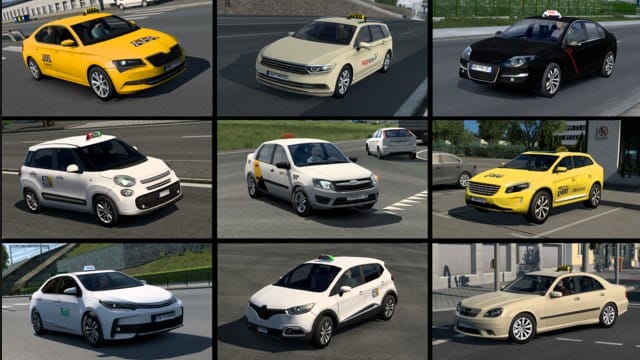
Better Flares Addon ETS2 Taxicabs AI pack by Egon
Better Flares Addon ETS2 Taxicabs AI pack by Egon
AI Taxicabs pack by Egon
- Still Compatible with ETS2 v1.60
All taxis are and will always be based on SCS vehicles. That way the mod is compatible and fits-in for anyone playing the game, whether used with Jazzycat’s AI cars or only with SCS basic traffic. Of course I recommend to use it with my mods like Real SCS AI Country Spawns mod or Real Spawns add-on to Jazzycat’s AI pack.
NEW MOD
Better Flares Addon – ETS2 European Liveries of traffic bus AI Skin Pack by Bermúdez
Better Flares Addon – ETS2 European Liveries of traffic bus AI Skin Pack by Bermúdez
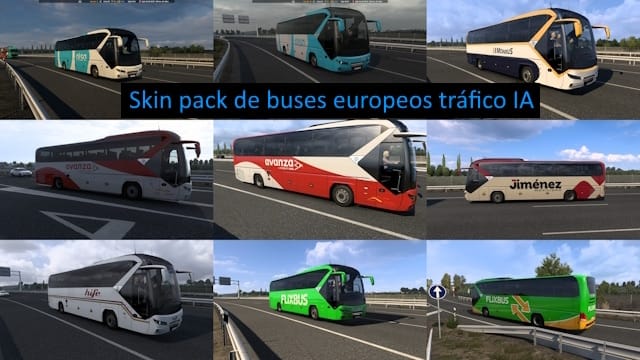
European liveries of traffic bus AI Skin Pack
Skin pack of the SCS IA traffic tourliner bus in various liveries of Spanish coach companies and Flixbus livery.
The mod is configured so that Flixbus buses appear in any country; Alsa buses in Spain, Portugal, France and Italy; Avanza, Monbus, Jiménez Movilidad, Hife and Bilman Bus only in Spain; BlaBlaCar Bus in Spain, Portugal, France and Luxembourg; IC Bus in Germany; National Express in UK; TUA in Italy; OsaBus in any country; Vy Express in Sweden and Norway; Socibus in Spain.
NEEDS EDITING
Nissantruck Ai Vehicles Pack 22
In this package you can find 299 ai vehicles.
My ai cars/vans/busses/trucks mod is for the Ai traffic only.
My ai cars/vans/busses/trucks can be seen in the traffic as ai vehicles only.
My ai cars/vans/busses/trucks are not state,country or any Dlc dependent.
You should be able to see the ai cars/vans/busses/trucks in traffic.

Special Instructions and Notes:
The Problem: The mod has some traffic vehicles with a very high spawn ratios (above 1.0), making them appear too frequently. Values like 2.40 cause certain vehicles to dominate traffic, while more reasonable spawn ratios like 0.20 or 0.50 in others are perfectly balanced. We want to reduce all values above 1.0 down to 0.80 while leaving the lower values untouched.
Step 1: Locate the mod files
For Steam Workshop mods, navigate to:
Steam Games\steamapps\workshop\content\227300\3029206946
The files we need to modify are in the universal\def\vehicle\ai folder:
Steam Games\steamapps\workshop\content\227300\3029206946\universal\def\vehicle\ai
Tip: Open this folder in File Explorer, click on the address bar, and copy the full path (it will include your drive letter, like D:\Steam Games\steamapps\workshop\content\227300\3029206946\universal\def\vehicle\ai). You’ll paste this directly into Notepad++.
Step 2: Open Notepad++
Launch Notepad++
Go to Search menu → Find in Files (or press
Ctrl+Shift+F)
Step 3: Configure the Search and Replace
In the “Find in Files” dialog, enter these exact settings:
Find what:
(spawn_ratio:\s*)([1-9]\d*\.?\d*)
Replace with:
\10.70
Filters: Leave empty (this will search all files in the folder)
Directory: Paste the full path you copied from File Explorer, for example:
x:\Steam Games\steamapps\workshop\content\227300\3029206946\universal\def\vehicle\ai
(Your drive letter may be different – use whatever appears in your File Explorer address bar)
Search mode: Select Regular expression from the dropdown
Leave other options unchecked
Step 4: Apply the Changes
Click “Replace in Files”
Notepad++ will show a message saying how many replacements were made
Step 5: You’re Done!
Since in this Steam Workshop mod, the files are already unpacked originally. No need to repack – the changes are saved directly to the mod files. The game will use the modified files the next time you launch.
NEW MOD
Better Flares Addon – Realistic Traffic Pack by Gelex
Better Flares Addon – for Realistic Traffic Pack by Gelex
NEEDS EDITING
NEW MOD
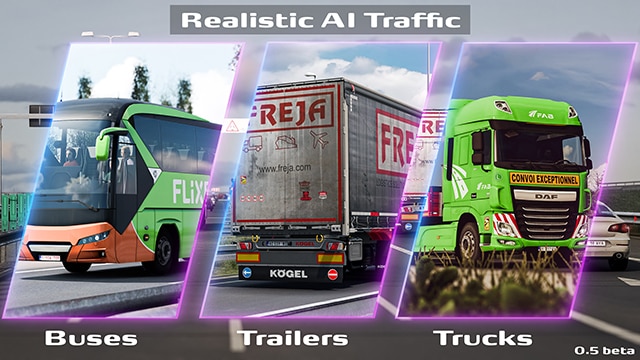
Realistic AI Traffic Pack
This is currently a simple mod that adds painted trucks, trailers, and coaches to road traffic. With this mod, I wanted to introduce a bit more realism to what we observe on the roads — worn and dirty trailers, varied but correct truck–trailer configurations, and popular transport companies.
Special Instructions and Notes:
Mod contents:
* liveries for trucks, trailers (curtain-sided, refrigerated, dump, tankers), and coaches
* several hundred curated truck–trailer combinations that spawn exclusively together: branded company sets for trucks and trailers, as well as unbranded sets with standard worn curtain-siders, reefers, and dump trailers
* a pool of trucks that can spawn with any trailers, including those added by other AI traffic mods
* a pool of trailers that can spawn with any trucks, including those added by other AI traffic mods
* definitions increasing the frequency of the most common real-world combinations, such as high-roof tractors with curtain-sided or refrigerated trailers
* definitions improving the color distribution of spawned trucks — white will be the most common color
* truck liveries including details such as emission standard stickers and “Angles Morts” decals
🚦 Realistic AI Traffic Pack – Lower Spawn Ratios Above 0.1 to 0.1
The problem: this Steam Workshop mod adds many AI vehicles, but some have spawn_ratio values that are too high (e.g., 0.30, 0.50, 1.0), making them appear too often. You want to lower every spawn ratio that is greater than 0.1 down to exactly 0.1, while keeping values 0.09 and below unchanged (e.g., 0.05, 0.02, 0.0).
📌 Step‑by‑Step Instructions:
Step 1 – Locate the mod in your Steam Workshop folder
Open your ETS2 Workshop directory:
x:\Steam Games\steamapps\workshop\content\227300
Find the folder 3713185881 – this is the mod’s unique ID.
Inside it you will see a file named m2_content.zip (many Workshop mods use this name).
Step 2 – Unpack the mod using the batch tool
Run Unpack – Pack SCS Files.bat as administrator.
Choose Option 1: Unpack.
Navigate to the m2_content.zip file inside 3713185881 and select it.
The tool will extract the contents to:
x:\ETS2-ATS Editing Mods\Mods\Unpacked\m2_content
Step 3 – Locate the files to edit
After unpacking, the vehicle definitions are inside:
x:\ETS2-ATS Editing Mods\Mods\Unpacked\m2_content\def\vehicle\ai
This folder contains many .sii files (one per vehicle). We will search inside all of them.
Step 4 – Open Notepad++ and configure “Find in Files”
Launch Notepad++.
Press Ctrl+Shift+F (or go to Search → Find in Files).
Step 5 – Set the search parameters
Find what (spawn_ratio\s*:\s*)(?:0\.[1-9][0-9]?|[1-9]\d*\.?\d*)([\r\n]+)
Replace with \10.1\2
Filters leave empty (searches all .sii files)
Directory browse to x:\ETS2-ATS Editing Mods\Mods\Unpacked\m2_content\def\vehicle\ai
Search mode Regular expression (dropdown)
⚠️ Do not check “Match whole word only” or “Match case”. Leave all other options unchecked.
Step 6 – Test before replacing
Click “Find All” to see a preview of all lines that will be changed.
Verify that numbers like 0.30, 0.50, 1.2, 2.0 are shown.
Confirm that 0.09, 0.05, 0.02, 0.0 are not matched.
Step 7 – Apply the changes
Click “Replace in Files”.
Notepad++ will report how many replacements were made.
Step 8 – Repack the mod
Close Notepad++.
Run the batch tool again.
Choose Option 2: Pack.
Browse to the unpacked folder:
x:\ETS2-ATS Editing Mods\Mods\Unpacked\m2_content
Confirm. The tool will create a new m2_content.zip inside:
x:\ETS2-ATS Editing Mods\Mods\Packed
Step 9 – Replace the original Workshop file
Copy the newly packed m2_content.zip from the Packed folder.
Paste it into the Workshop mod folder, overwriting the original:
x:\Steam Games\steamapps\workshop\content\227300\3713185881\m2_content.zip
Confirm the overwrite.
Step 10 – Clean up temporary files (important!)
Delete the following to avoid confusion with other mods that also use the name m2_content:
The unpacked folder:
x:\ETS2-ATS Editing Mods\Mods\Unpacked\m2_content
The packed copy (optional but recommended):
x:\ETS2-ATS Editing Mods\Mods\Packed\m2_content.zip
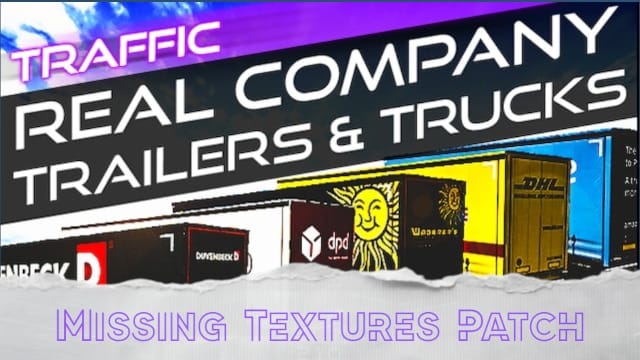
Missing Textures Fix for Real Company Trailers & Trucks [TRAFFIC ONLY]
This is a quick little fix for the missing textures of the Scania R/S used in Xcore traffic pack.
SCS removed some of the original textures for the truck when they updated the model in v1.57. So, I went back on v1.56 and copied all the necessary files (only the ones missing) and added them back in game.
When you activate this mod with the original mod by Xcore on v1.57, now, it shows up properly. No more purple sunshield, windows and mudflaps. I did not modify any of Xcore files, nor included them. You need his mod for this to work. It only adds back the files that were removed by SCS.
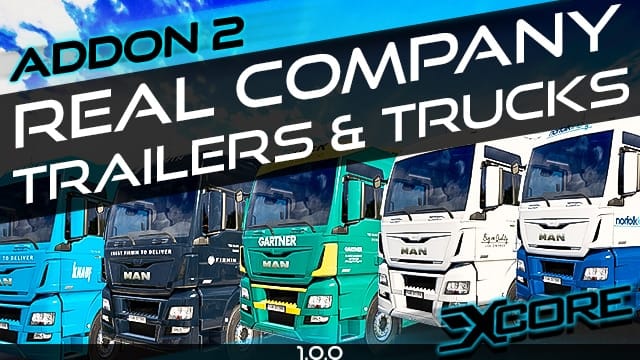
Real Company Trailers & Trucks – MAN TGX 2017 (ADDON)
All 60+60 skins from the RCT&T volumes for the MAN TGX 2017 XL, XLX and XXL cabin.
This is an addon mod – TRAILERS ARE NOT INCLUDED – you need to download RCT&T Volume 1 and RCT&T Volume 2 to get the skins for trailers as well!
Special Instructions and Notes:
It is recommended (but not required) to place this addon mod above the RCT&T volumes.
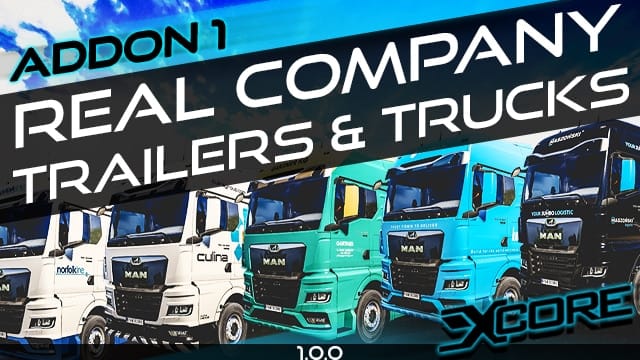
Real Company Trailers & Trucks – MAN TGX 2020 [ADDON]
All 60+60 skins from the RCT&T volumes for the new MAN TGX 2020 GN, GM and GX cabin.
This is an addon mod – TRAILERS ARE NOT INCLUDED – you need to download RCT&T Volume 1 and RCT&T Volume 2 to get the skins for trailers as well!
Special Instructions and Notes:
It is recommended (but not required) to place this addon mod above the RCT&T volumes.
Real Company Trailers & Trucks – Volume 2 [TRAFFIC+OWNED]
30 Real Company skins for AI Traffic Trailers & Trucks
30 Real Company Dirty Edition skins for AI Traffic Trailers & Trucks
30 Real Company skins for OWNED Trailers & Trucks
30 Real Company Dirty Edition skins for OWNED Trailers & Trucks
AI Traffic Trailers and Trucks are attached together so they spawn as a set – Example: Lagermax truck spawn only with Lagermax trailer, dirty Van Reenen truck spawn only with dirty Van Reenen trailer, etc.
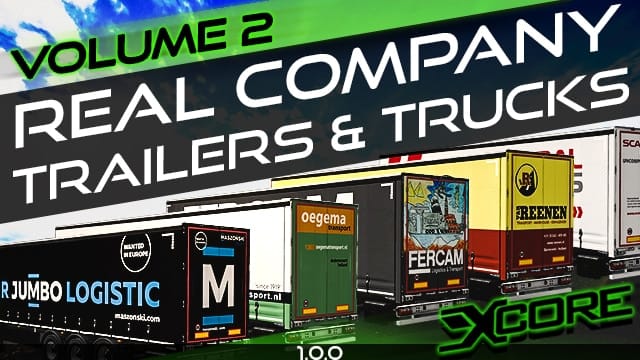
Real Company Trailers & Trucks – Volume 1 [TRAFFIC+OWNED]
30 Real Company skins for AI Traffic Trailers & Trucks
30 Real Company Dirty Edition skins for AI Traffic Trailers & Trucks
30 Real Company skins for OWNED Trailers & Trucks
30 Real Company Dirty Edition skins for OWNED Trailers & Trucks
AI Traffic Trailers and Trucks are attached together so they spawn as a set – Example: Duvenbeck truck spawn only with Duvenbeck trailer, dirty Amazon truck spawn only with dirty Amazon trailer, etc.

NEW MOD
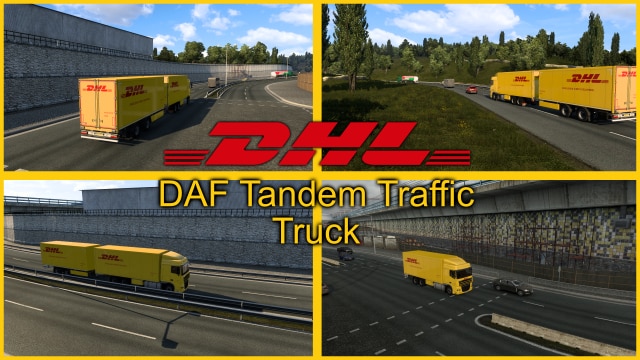
Better Flares Addon – DHL DAF Tandem Traffic by Paulys
Better Flares Addon – for DHL DAF Tandem Traffic by Paulys
NEW MOD
DHL DAF Tandem Traffic
DHL DAF Tandem Traffic,here you are another tandem traffic mod,yes it will work perfectly fine with all my other traffic skins,just enable in your mod manager and it will appear at random.
NEW MOD
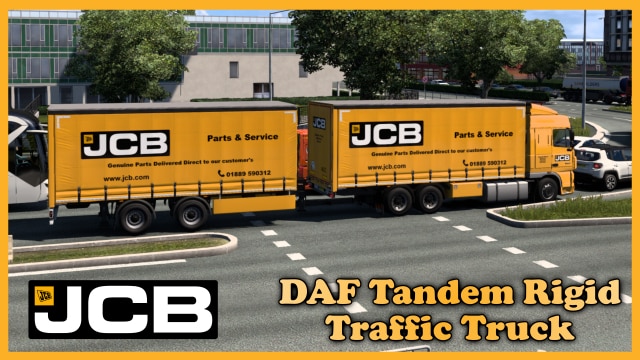
Better Flares Addon – JCB Rigid Tandem Traffic Truck by Paulys
Better Flares Addon – for JCB Rigid Tandem Traffic Truck by Paulys

NEW MOD
JCB Rigid Tandem Traffic Truck
JCB Rigid Tandem Traffic Truck,so this will just show at randem in your traffic with its trailer attached aswell.
NEW MOD
Better Flares Addon – JCB Scania & Trailer Traffic by Paulys
Better Flares Addon – for JCB Scania & Trailer Traffic by Paulys

NEW MOD
JCB Scania & Trailer Traffic
JCB Scania & Trailer Traffic,here we go with another traffic skin,so you get the Scania S with a matching Aero Curtainsider,now the trailer will show in the freight market aswell.Just enable in mod manager and it will appear at random in your traffic.

NEW MOD
Better Flares Addon for Real Ai Motorcycles Sounds by Cipus for Motorcycles Traffic Pack by JazzyCat
Better Flares Addon def Motorcycles Sounds by Cipus for Motorcycles Traffic Pack by JazzyCat

Real AI Motorcycles Sounds RTD addon
Includes the RTD addon that you can use in combination with my Real Traffic Density mod.

Special Instructions and Notes:
Included in the Real Ai Motorcycles Sounds by CIP
Real Ai Motorcycles Sounds
Update for ETS2/ATS
Follow the recommended load order from the picture attached to the .zip file
Includes the RTD addon that you can use in combination with my Real Traffic Density mod
For best experience you can use my other Ai traffic sounds mods
NEW MOD
Better Flares Addon – Russian Traffic Pack by Jazzycat
Better Flares Addon – Russian Traffic Pack by Jazzycat
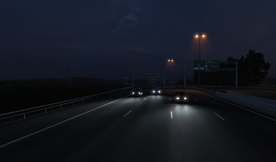
Better Flares Addon ETS2 Classic Cars Traffic pack by TrafficManiac base
Better Flares Addon ETS2 Classic Cars Traffic pack by TrafficManiac base
Better Flares Addon ETS2 Sport Cars Traffic pack by TrafficManiac base
Better Flares Addon ETS2 Sport Cars Traffic pack by TrafficManiac base
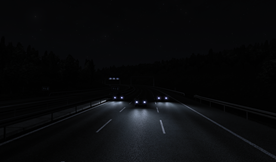
NEW MOD
Better Flares Addon – Bus Traffic Pack by Jazzycat
Better Flares Addon – Bus Traffic Pack by Jazzycat
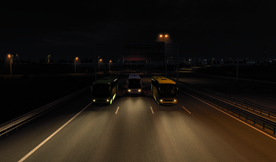
Better Flares Addon – ETS2 Painted BDF Traffic pack by Jazzycat
Better Flares Addon ETS2 Painted BDF Traffic pack by Jazzycat
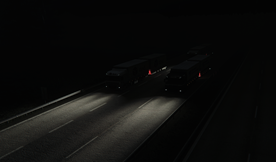
Better Flares Addon ETS2 Tuned Truck Traffic pack by TrafficManiac
Better Flares Addon ETS2 Tuned Truck Traffic pack by TrafficManiac
Better Flares Addon – ETS2 AI Traffic pack by Jazzycat
Better Flares Addon ETS2 AI Traffic pack by Jazzycat
NEEDS EDITING
Better Flares Addon – ETS2 Motorcycle Traffic pack by Jazzycat
Better Flares Addon ETS2 Motorcycle Traffic pack by Jazzycat
Special Instructions and Notes:
1) IMPORTANT: We need to edit the scs file with similar changes that we made to the original mod.
The Problem: In some countries (Aland, Finland, Greenland, Iceland, Janmayen, Norway, and Sweden), only 1-2 motorcycle models appear in traffic instead of all 95 models. This happens because those country files have spawn rates set to 0 for almost all motorcycles. Also the rest of the countries has spawn ratios of 1.0 which is too high, so we will edit all countries to have 0.2.
Step 1: Use our tool Unpack & Pack SCS Files.bat to unpack “BF_ETS2_motorcycle_traffic_pack_by_Jazzycat.scs”:
To learn how to unpack/edit/pack mods, go to Appendix 1: Mod Tool – Unpack/Edit/Pack SCS Files Easily
Step 2: Open Notepad++
Go to Search menu → Find in Files (or press
Ctrl+Shift+F)
Step 3: Configure the Search and Replace: In the “Find in Files” dialog, enter these exact settings:
Find what: (spawn_frequency\s*:\s*)0([\r\n]+)
Replace with: \10.2\2
Filters: None
Directory: Click the … button and browse to the
def\countryfolder inside your extracted modSearch mode: Select Regular expression from the dropdown
Leave other options unchecked
Step 4: Apply the Changes: Click “Replace in Files”
Notepad++ will show a message saying how many replacements were made
Step 5: Repack the Mod
After the changes are made, repack the folder back into an
.scsfile using our tool Unpack & Pack SCS Files.batPlace the modified mod in your ETS2 mod folder replacing the original it is already there.
NEW MOD
Real Traffic Density patch for Jazzycat/TrafficMan vehicles
A small add-on that changes vehicles by Jazzycat/Trafficman (BDF trucks, motorcycles, classic cars, sports cars) to work with Real Traffic Density by Cipus.
1. Vehicle types
All vehicles from the compatible traffic packs are changed to the proper vehicle type so RTD will treat them as motorcycles, BDFs, etc. and not as standard cars.
2. Parking
All vehicles are allowed to spawn as parked now.

Special Instructions and Notes:
This only works with RTD. If you do not use RTD, none of the vehicles in the mods will spawn.
If you do not all use mods, you can still use this: vehicles that do not exist in your game will automatically be ignored.
If Jazzycat/Trafficman adds new vehicles, this mod will be updated, but usually he just updates the mod without anything new and in that case this mod will keep working.
Not compatible with other mods that change Jazzycat/Trafficman vehicles.
NEW MOD
Russian Traffic Pack by Jazzycat – Def
Pack adds in traffic over 100 russian vehicles (cars, trucks, buses, trailers).
All standalone.
Works on any maps.
Compatible with all my packs.
For version 1.50.x

Special Instructions and Notes:
This is part of the mod below.
Included versions for Russian maps (Russian vehicles only on Russian maps) and all other maps (Russian vehicles everywhere).
You must have in mod folder two files:
russian_traffic_pack_by_Jazzycat_base.scs
and
russian_traffic_pack_by_Jazzycat_def_for_non-russian_maps.scs
or
russian_traffic_pack_by_Jazzycat_def_for_russian_maps.scs
NEW MOD
Russian Traffic Pack by Jazzycat – Base
Pack adds in traffic over 100 russian vehicles (cars, trucks, buses, trailers).
All standalone.
Works on any maps.
Compatible with all my packs.
For version 1.50.x
Special Instructions and Notes:
Included versions for Russian maps (Russian vehicles only on Russian maps) and all other maps (Russian vehicles everywhere).
You must have in mod folder two files:
russian_traffic_pack_by_Jazzycat_base.scs
and
russian_traffic_pack_by_Jazzycat_def_for_non-russian_maps.scs
or
russian_traffic_pack_by_Jazzycat_def_for_russian_maps.scs
Classic Cars Traffic Pack by TrafficManiac – Jazzycat Definition
File classic_cars_traffic_pack_by_TrafficManiac_v11.6.12_jaz.scs included in main mod below.
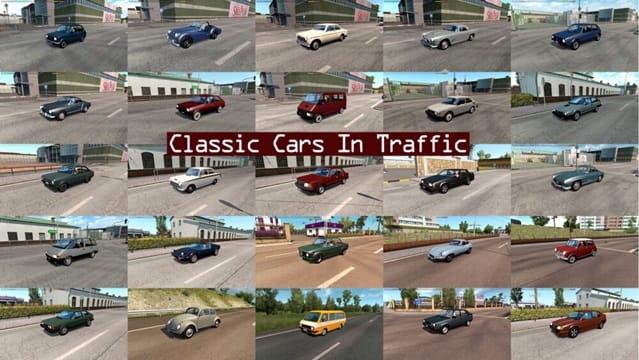
Special Instructions and Notes:
Install ONLY the following mods:
– classic_cars_traffic_pack_by_TrafficManiac_base.scs
– classic_cars_traffic_pack_by_TrafficManiac_jaz.scs (with Jazzycats AI pack)
DO NOT install:
– classic_cars_traffic_pack_by_TrafficManiac_def.scs (only with default traffic)
Classic Cars Traffic Pack by TrafficManiac – Base
Pack adds in traffic 178 cars from 60th, 70th, 80th years.
All standalone.
Works on any maps.
Compatible with AI packs by Jazzycat.
For version 1.58.x
Special Instructions and Notes:
Install ONLY the following mods:
– classic_cars_traffic_pack_by_TrafficManiac_base.scs
– classic_cars_traffic_pack_by_TrafficManiac_jaz.scs (with Jazzycats AI pack)
DO NOT install:
– classic_cars_traffic_pack_by_TrafficManiac_def.scs (only with default traffic)
Sport Cars Traffic Pack by TrafficManiac – Jazzycat Definition
File sport_cars_traffic_pack_by_TrafficManiac_v12.7.13_jaz.scs included in main mod below.
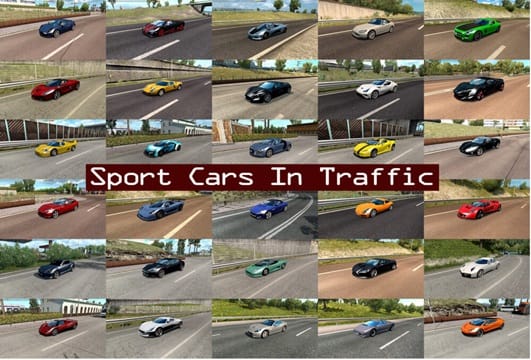
Special Instructions and Notes:
Install ONLY the following mods:
– sport_cars_traffic_pack_by_TrafficManiac_v12.7.13_base.scs
– sport_cars_traffic_pack_by_TrafficManiac_v12.7.13_jaz.scs
DO NOT install:
– sport_cars_traffic_pack_by_TrafficManiac_v12.7.13_def.scs
Sport Cars Traffic Pack by TrafficManiac – Base
Pack adds in traffic 261 sport and super cars.
All standalone.
Works on any maps.
Compatible with AI packs by Jazzycat.
For version 1.58.x
Special Instructions and Notes:
Install ONLY the following mods:
- sport_cars_traffic_pack_by_TrafficManiac_v12.7.13_base.scs
- sport_cars_traffic_pack_by_TrafficManiac_v12.7.13_jaz.scs
.
DO NOT install:
- sport_cars_traffic_pack_by_TrafficManiac_v12.7.13_def.scs
NEW MOD
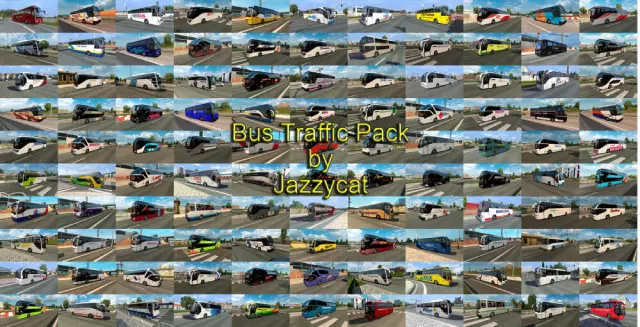
Bus Traffic Pack by Jazzycat
Pack adds in traffic 46 new models of buses with over 1500 skins (Setra, Neoplan, Volvo, Man, Mercedes-Benz, Ikarus, Scania, Ayats, Irizar, Temsa, Irisbus, Jelcz, Karosa, Caetano, Optare).
All standalone, works on any maps.
Compatible with all my packs.
Painted BDF Traffic Pack by Jazzycat
Pack adds in traffic over 650 BDFs with over 1200 skins of real companies.
All standalone.
Works on any maps.
Tested on 1.58.x
Compatible with all my packs.

Special Instructions and Notes:
No need to edit this mod anymore.
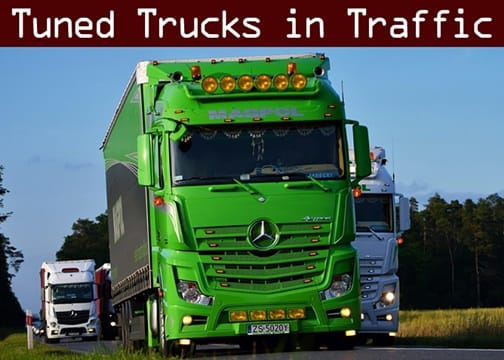
Tuned Truck Traffic Pack by TrafficManiac
Pack adds in traffic tuned trucks (about 70 different variants).
All standalone.
Cables simulation.
Works on any maps.
Compatible with AI packs by Jazzycat.
AI Traffic Pack by Jazzycat
Pack adds in traffic 526 new AI cars.
All standalone, works on any maps.
Included real 3D logos for default cars and over 600 skins for different vans.
Models of other authors: Dacia Logan (Srele), MB Vito, W210, VW Passat B5, Renault Kangoo (Alexx_Os), some skins by IJ’s Mods.

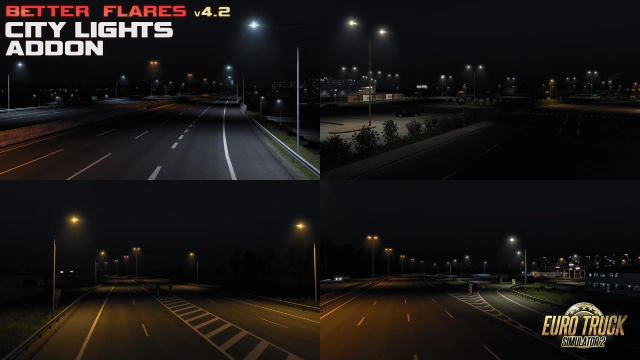
Better Flares – City Lights Addon
– Dimmed street lamps in City Lights Addon
Special Instructions and Notes:
IMPORTANT: File Included in “Better Flares – Base” (contains Base, Headlights and City Lights)
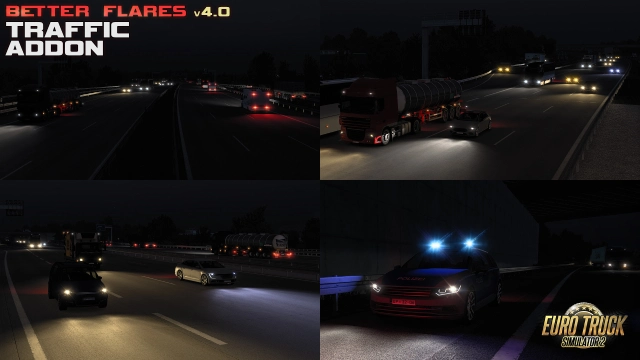
Better Flares – Traffic Addon for ETS2
– Modified SCS AI traffic with 9 headlights color variants and 2 red/brake signals in Traffic Addon
Special Instructions and Notes:
IMPORTANT: Separate file to download from Better Flares SCS Forum link.
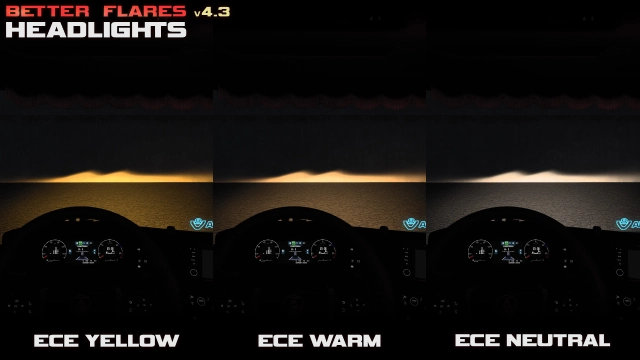
Better Flares – Headlights ECE Yellow
Realistic headlights patterns with 6 different colors (up to 140 modded trucks supported)
Special Instructions and Notes:
IMPORTANT: File Included in “Better Flares – Base” (contains Base, Headlights and City Lights)
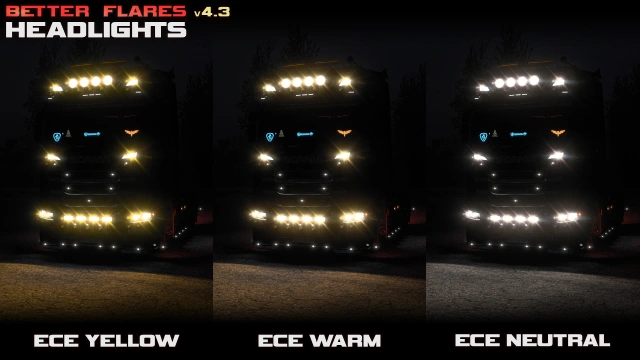
Better Flares – Base
– Completely reworked flares
– Realistic headlights patterns with 6 different colors (up to 140 modded trucks supported)
– Modified SCS AI traffic with 9 headlights color variants and 2 red/brake signals in Traffic Addon
– Dimmed street lamps in City Lights Addon
Compatibility patches for JazzyCat and TrafficManiac mods made by @gl00ria
NEW MOD
Realistic Cabin Soundproofing
This mod enhances the sensation of soundproofing materials inside a modern truck cabin. It is important to understand that it doesn’t just rebalance volume levels, but creates the authentic feeling of being inside an insulated cabin. After installing the mod, you may need to readjust your in-game sound sliders. The mod was designed specifically for the Sound Fixes Pack, though it also performs well with default sounds. In the Mod Manager, place this mod above any other sound-related mods.

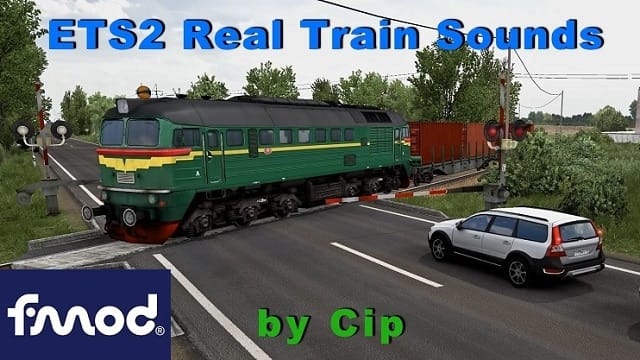
Real Train Sounds ETS2
-real locomotive electric and diesel sounds
-partial personalized locomotive engine and horn sounds (m62, cc47e, g16, ChME3)
-slightly increased number of train cars for personalized locomotives
-separate wheel sounds for cargo / passengers / fast trains including brake sound and noises (thanks to Powerfull for his brake and noises samples)
-applied mover sounds for trains and harvester (replace in original scs bank)
-personalized sounds for rail crossroads per countries (some countries have multiple sounds playing randomly)
Sound Fixes Pack – ETS2
This mod has been bringing more immersion to common sounds in the game for over 10 years!
It packs a variety of sound content within one mod, making it great value within the 100 mod limit in Convoy multiplayer.
For further immersion, the mod may also include official paint colors and more authentic specifications for each AI traffic vehicle it modifies for sound. Rarer paint colors are less likely to be seen.
Read the full mod changes at the mod’s page.

NEEDS EDITING
Motorcycle Traffic Pack for AI Traffic Pack by Jazzycat – Definition
Addon Definition to make Motorcycle Traffic Pack to work with AI Traffic Pack by Jazzycat.
IMPORTANT: File included in Main File “Motorcycle Traffic Pack by Jazzycat – Base”.

Special Instructions and Notes:
1) Install ONLY the following mods:
– motorcycle_traffic_pack_by_Jazzycat.scs
– motorcycle_traffic_pack_by_Jazzycat_jaz.scs (with AI Traffic Pack by Jazzycat AI pack)
DO NOT install:
– motorcycle_traffic_pack_by_Jazzycat_def.scs (only with default traffic)
2) IMPORTANT: We need to edit the definition file
The Problem: In some countries (Aland, Finland, Greenland, Iceland, Janmayen, Norway, and Sweden), only 1-2 motorcycle models appear in traffic instead of all 95 models. This happens because those country files have spawn rates set to 0 for almost all motorcycles. Also the rest of the countries has spawn ratios of 1.0 which is too high, so we will edit all countries to have 0.2.
Step 1: Use our tool Unpack & Pack SCS Files.bat to unpack “motorcycle_traffic_pack_by_Jazzycat_vx.x.x.7z” and then select “motorcycle_traffic_pack_by_Jazzycat_v6.5.15_jaz.scs“
To learn how to unpack/edit/pack mods, go to Appendix 1: Mod Tool – Unpack/Edit/Pack SCS Files Easily
Step 2: Open Notepad++
Go to Search menu → Find in Files (or press
Ctrl+Shift+F)
Step 3: Configure the Search and Replace: In the “Find in Files” dialog, enter these exact settings:
Find what: (spawn_frequency\s*:\s*)0([\r\n]+)
Replace with: \10.2\2
Filters: traffic.jazzycat_moto.sii
Directory: Click the … button and browse to the
def\countryfolder inside your extracted modSearch mode: Select Regular expression from the dropdown
Leave other options unchecked
Step 4: Apply the Changes: Click “Replace in Files”
Notepad++ will show a message saying how many replacements were made
Step 5: Repack the Mod
After the changes are made, repack the folder back into an
.scsfile using our tool Unpack & Pack SCS Files.batPlace the modified mod in your ETS2 mod folder replacing the original it is already there.
Motorcycle Traffic Pack by Jazzycat – Base
Pack adds in traffic 95 motorcycles.
All standalone, works on any maps.
Compatible with all my packs.
Version 6.5.15 – compatibility update for patch 1.58.x

Special Instructions and Notes:
Install ONLY the following mods:
– motorcycle_traffic_pack_by_Jazzycat.scs
– motorcycle_traffic_pack_by_Jazzycat_jaz.scs (with AI Traffic Pack by Jazzycat AI pack)
DO NOT install:
– motorcycle_traffic_pack_by_Jazzycat_def.scs (only with default traffic)
Real Ai Traffic Sounds ETS2 (FMOD)
Annoyed by the Ai traffic default sounds? Congratulations, you discovered a unique mod that is bringing to life every single Ai car, truck and bus in ETS2.

ProMods Trailer and Company Pack (Company Definition) – 1
- Fully Compatible with ETS2 v1.60
Company Definition Definition Module of the “ProMods Trailer and Company Pack”

Special Instructions and Notes:
IMPORTANT: file included in “ProMods Trailer and Company Pack” download link.
ProMods Trailer and Company Pack (Company Package) – 2
- Fully Compatible with ETS2 v1.60
The original base game companies are completely replaced at this point.
SCS Software has moved some of the companies around from the DLCs to the base game since the DLCs were released, so replacement of the entirety of the base game companies is not yet complete.
Replacement of the Scandinavia DLC companies is complete and work is being done on the French companies that remain tied to the Viva La France DLC.
The only French company that doesn’t have a planned replacement is BOISSERIE J-P, a sawmill company.
Development discussion thread: https://promods.net/viewtopic.php?t=10883
ProMods Trailer and Company Pack (Replacement Parked Trailers) – 3
- Fully Compatible with ETS2 v1.60
Replacement Parked Trailer Module of the “ProMods Trailer and Company Pack”. The new “Parked Trailers” file is a new asset file to handle the static parked trailer models that are scattered around the map. These models are labeled “static” because they cannot be moved around by the player because they are not actual vehicles (and as such, you won’t get a fine for “causing a collision” when bumping into them either). Mappers use these models for optimization reasons because the parked traffic trailers have physics calculations run on them, which adds additional computation costs when they are used.
Special Instructions and Notes:
IMPORTANT: file included in “ProMods Trailer and Company Pack” download link.
ProMods Trailer and Company Pack (Replacement Trailer Definition) – 4
- Fully Compatible with ETS2 v1.60
Replacement Trailer Definition Module of the “ProMods Trailer and Company Pack”
Special Instructions and Notes:
IMPORTANT: file included in “ProMods Trailer and Company Pack” download link.
ProMods Trailer and Company Pack (Main Trailer Definition) – 5
- Fully Compatible with ETS2 v1.60
Main Trailer Definition Module of the “ProMods Trailer and Company Pack”
Special Instructions and Notes:
IMPORTANT: file included in “ProMods Trailer and Company Pack” download link.
ProMods Trailer and Company Pack (Trailer Package) – 6
- Fully Compatible with ETS2 v1.60
Trailer Package Module of the “ProMods Trailer and Company Pack”
Special Instructions and Notes:
IMPORTANT: file included in “ProMods Trailer and Company Pack” download link.
Real companies & gas stations
“Imagine cruising down the European highways, surrounded by the iconic logos of real-world companies, pulling into familiar gas stations, and seeing billboards that mirror those you’d encounter on a genuine continental road trip.”
Real Companies: Say goodbye to generic in-game businesses and hello to recognizable brands. Deliver cargo to and from the warehouses and distribution centers of actual European companies, adding a layer of authenticity to your trucking adventures. Real Gas Stations: Fuel up at gas stations that you’d find along any European motorway. Experience the immersion of pulling into well-known fuel stops, enhancing the feeling of a true cross-continental haul.

Real Advertisements
This mod replaces street adverts with real ones as much as possible. There are over 400. They are always localized per country and were introduced with France DLC which means that maps before it (base game, East & Scandinavia DLCs) don‘t have it.
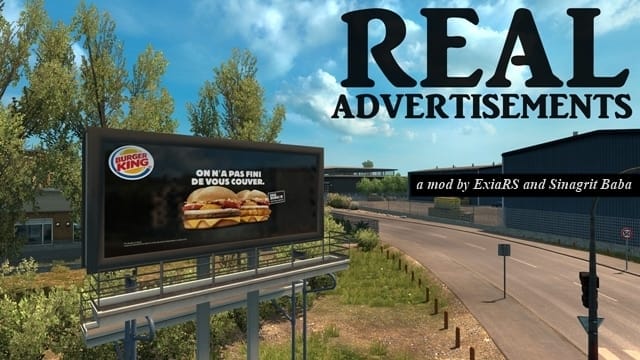
Smaen’s Cargo System Rework
The goal of this mod was to expand on cargo selection, and ensure a more realistic offering of cargo types.
By default, the game does not allow reefer trailers to haul general dry cargo, and sideboard flatbed trailers are unable to transport standard flatbed cargo. This mod changes that, as well as other things to provide players with more cargo types for their chosen trailer.
With this mod, many trailers are given many more cargo options that are normally locked to only specific trailers or body types, despite being suitable for more trailers.
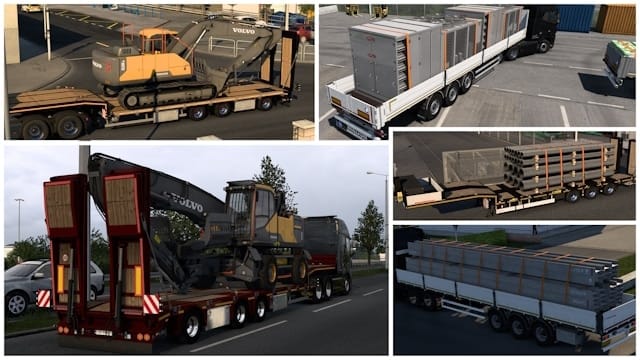
NEW MOD
Trailers & Cargo Packs Mods Options
- THIS IS NOT A MOD!, but the following mods below this card are. These are Trailers and Cargo packs, with hundreds of variations each, so and in order to see them in action while driving your truck, you should not use them all at the same time, otherwise you will barely see many of the great textures and creation each has.
- So our recommendation is you use two Trailers and Cargo mods each time during your game play, and when you feel you need new variations of the trailers you see in traffic and as cargo, switch both or one to another ones, and so on. This way you will see them during traffic regularly, and always can switch back and forth, making always interesting the experience.
- When you switch any of the mods below, always ensure you are not in the middle of a delivery, otherwise when you load your game, there is a risk the delivery get reset and you will lose whatever progress has you done for that specific delivery (without penalty, though).
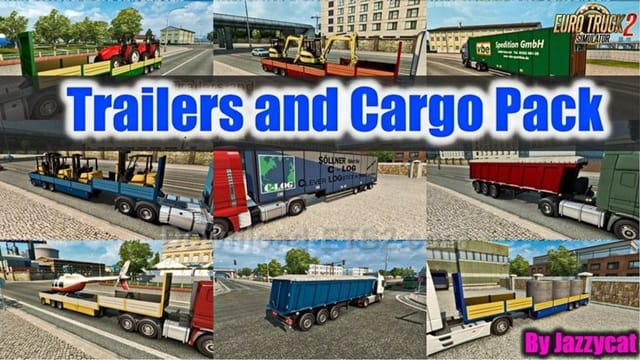
Arnook’s Container Pack – Train Add-on
An AI Train Add-On made by KrysEmlyn that use Arnook’s Container to place on trains
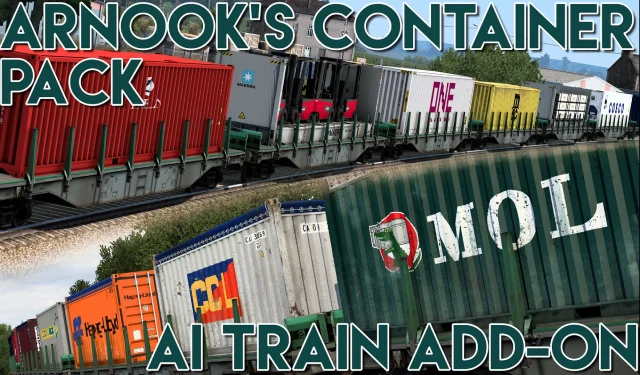
Arnook’s Container Pack
- Full compatibility with the SCS chassis configurations (singles, doubles, etc…)
- Available in the freight Market & for owned trailers
- The skin-selection is made randomly by the game (same system as SCS’s original containers)
- All container variants in traffic
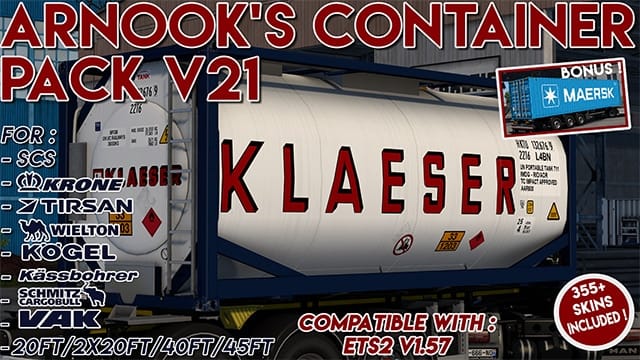
NEW MOD
-Josh-‘s Mega Pack
This pack combines several of my standalone cargo mods into one convenient collection, giving you a larger variety of cargo without needing to install multiple separate mods. Totaling 59 cargo variants.
The mega pack will continue to expand over time as more compatible cargo mods are added.
Included Mod Packs:
-Josh-‘s Car Cargo Pack
-Josh-‘s Bus Cargo Pack
-Josh-‘s Ambulance Cargo Pack
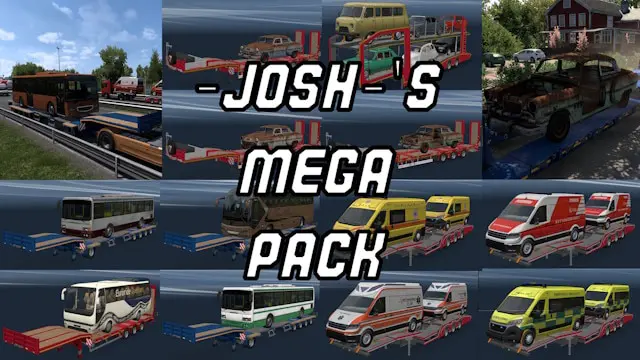
Trailers & cargo pack by Jazzycat Part 3
Part 3 included in the main Trailers and Cargo Pack by Jazzycat mod below.
Trailers & cargo pack by Jazzycat Part 2
Part 2 included in the main Trailers and Cargo Pack by Jazzycat mod below.
Trailers & cargo pack by Jazzycat Part 1
Pack adds in game 175 new models of trailers.
772 new cargo, 744 traffic trailers and about 3000 skins.
New cargo added to 419 companies for all popular maps.
All standalone. Works on any maps.
NEW MOD
Trailers Traffic Pack by TrafficManiac
Pack adds in traffic 861 trailers with 3152 skins of real companies.
All standalone.
Only quality low poly models – no FPS drop.
AI cables simulation compatible.
Works on any maps.
Compatible with AI packs by Jazzycat.
NEW MOD
ETS2 Traffic Trailers Mega Pack
In this mod you will find all the traffic trailers I have made so far.
So this is the only mod you need for traffic trailers.
But if you are using any of my ownable trailer packs, you will have to keep them.
NOTE! Motorsport Pack have been added but most of them will only show up as traffic.
Mixed Tape Vol. 1&2 included
Trailers will show up in traffic but also as jobs in freightmarked
Realistic Vehicle Colours
This mod changes the colours used by AI traffic to be more realistic and varied.
It uses over 350 colours that are currently offered by some of the most popular European car manufacturers. You will see a realistic mix of bright and dull colours.
It works with Jazzycat’s AI traffic mods and it should be compatible with all other AI traffic mods but it must be higher up in the load order to work.
GMC Community Maps Combo
The Route of the Wolves guide relies on the GMC Community Maps Combos for all map add-ons. You’ll be redirected to their site, where you can choose between: International Extra (includes both free and paid mods) or International Classic (only free maps).
Why GMC Community?: Since 2020, they had curated a meticulously tested mod list, ensuring compatibility between map add-ons. Their “Combos” include essential fixes and optimizations. To integrate their work with The Route of the Wolves:
- Place their first three to five mods from their list in the reserved top spots of our mod list (see the 3 to 5 Reserved spots at the top).
- The rest of their map add-ons can be safely installed below our list.

Special Instructions and Notes:
Recommendations:
- Even if you don’t install maps add-ons, follow their Important Setup Information at the top (Buffer Page and Launch Options). It will help performance and stability within your game.
- Each map added into your list will increase the loading times. Is the trade off you can’t avoid, so install exactly what you need and consider you will really play. You can later install other maps if you want to try then.
- Maps Add-ons like any other mod, comes potentially with issues, bugs and incompatibilities that are in not way responsibility of GMC, who acts as curator, but you should always ask politely and use their bugs report system at their Discord for help and advice. Once you are sure that an specific Map Add-on has issues, you should report it directly to the author of the mod. This is important: giving feedback to is a crucial step.
- GMC Maps Combos has a Export file button below the maps selection (Filters): USE IT, it will download a text list of the mods you selected, so if you come back later on you can use the +Import File and it will mirror your previous selection. Once you add/update/delete maps from your personal list, Export a new file overwriting the old one.
- Always check its Changelog for updates done in the mod list and Known Issues before you ask something.
Other plugins that needs to be installed differently:
LICENSE REVOKED (WARNING! - PERMADEATH Plugin!!!):
Category: Economy, Immersion
It introduces a real Penalty Point System (based on strict European standards) that tracks your offenses across your profile, you can edit the values, but the default are:
- The Limit: You have 24 Points, The Offences: 💥 Collision: 10 pts., ⛔ Wrong Way: 8 pts., 🚦 Red Light: 6 pts., ⚡ Speeding: 2 pts..
- The “Permadeath”: If you exceed 24 points, an Administrative Decision is issued. An overlay will block your screen, informing you that your license has been suspended. Game Over. You are effectively locked out of driving on that profile (unless you manually delete the plugin’s save file).
- The Redemption: To clear your points, you must drive for 14 in-game days without committing a single violation.
Special Instructions and Notes:
💿 How to install?
Note: This is a .dll plugin, not a standard .scs mod!
- Download the zip.
- Unzip
- Drag the
binfolder from the zip into your main game directory (where the.exeis). - Launch the game and accept the SDK warning.
- Optionally if want to adjust configuration go to /bin/win_x64/plugins/ and edit file “License Revoked.ini”
——————————————
Our difficulty recommendations:
Beginner: MaxPoints = 48, ResetDays = 14, Collision = 5, WrongWay = 4, RedLight = 3, Speeding = 1, Other = 1
Proficient: MaxPoints = 34, ResetDays = 14, Collision = 7, WrongWay =6, RedLight = 4, Speeding = 2, Other = 1
Default: MaxPoints = 24, ResetDays = 14, Collision =10, WrongWay =8, RedLight = 6, Speeding = 2, Other =1
ETS2 Radio Services alternatives
Category: Sound, Immersion
It is nice to have options when is about listening music while driving long hauls.
We can achieve this in three different ways:
- Listening to our own music files.
- Setting up a plugin to listen radio stations across Europe, that automatically changes to the stations of the country we are driving in.
- Setting a file to listen radio stations from all over the world that we have previously chosen.

Special Instructions and Notes:
Visit the ETS2 Appendix 6: How to configure the Radio and Music player in ETS2 to learn how to achieve any of the methods mentioned above.
